1
FRONT PANEL (W600 AND W640)
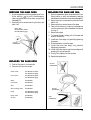
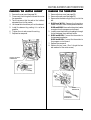
REMOVING THE FRONT PPANEL
ANEL
(W600 AND W640)
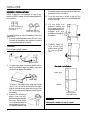
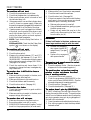
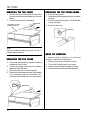
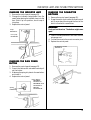
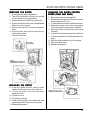
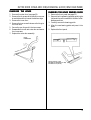
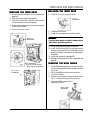
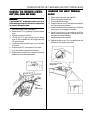
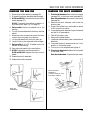
1. Remove the detergent drawer (see page 21).
2. Open the drain pump cover. (Use the partition
from the detergent drawer or a flat-blade
screwdriver.)
3. Being careful not to break off the drain plug,
disconnect the drain hose.
Front panel
W600/W640
P/N 8063925
NOTE
There may be water left in the machine that will
run out through the drain hose. It’s a good idea to
place a towel or shallow bowl underneath the drain
hose to catch the water.
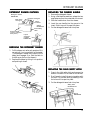
4. Unscrew the emergency opening handle.
5. Remove the lower right screw from the panel,
and the two screws beneath.
6. Remove the panel by moving its lower edge
outwards and then pulling it down.
REPLACING THE FRONT PPANEL
ANEL
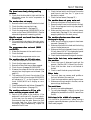
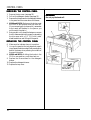
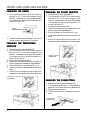
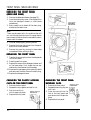
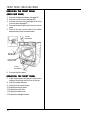
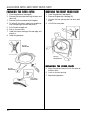
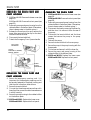
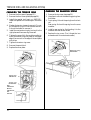
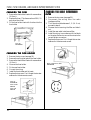
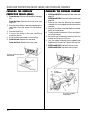
7. Transfer the securing clips from the side panels
to the front panel.
8. Press the panel into place.
9. Replace the screws at the detergent drawer and
on the lower edge. Don’t forget the two star
washers for the screws at the lower edge.
10. Screw back the emergency door opening handle
and reconnect the drain hose to the drain plug.
11. Replace the detergent drawer.
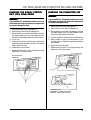
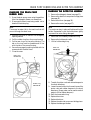
CHANGING THE PLASTIC LOCKING
CLIPS ON THE FRONT PPANEL
ANEL
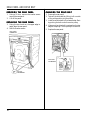
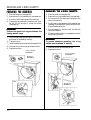
CHANGING THE FRONT PPANEL
ANEL
SECURING CLIPS
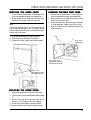
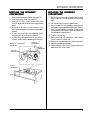
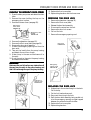
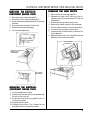
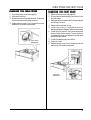
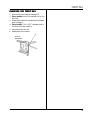
1. Remove the front panel.
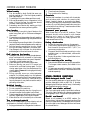
2. Squeeze the clip together and pull it out.
3. Push the new clip in
Plastic lockings
until it snaps into place.
P/N 8061763
4. Replace the front panel.
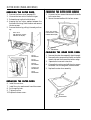
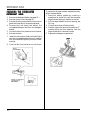
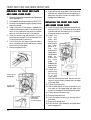
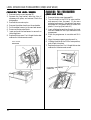
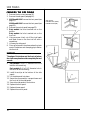
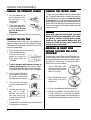
1. Remove the front panel.
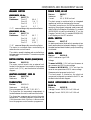
2. Squeeze the securing clip and
pull it out.
3. Insert the new clip into the
hole in the front panel and
push down until it snaps into
place.
4. Replace the front panel.
28
Securing clips
P/N 8061658