1
SET DEHUMIDIFY
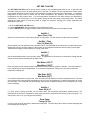
The SET DEHUMIDIFY mode is used to enable or to disable the dehumidify functions of the control. The run time
of the immediate and the delayed dehumidify functions are set here. The repeat time of the dehumidify feature is
set here. The dehumidify differential, and the maximum heat loss and gain for the dehumidify mode are also
entered here.
1. Enter the SET DEHUMIDIFY mode.
2. Use the PRIOR-NEXT switch to advance to the desired item to set.
3. Use the VALUE switch to toggle between desired choices that the system has internally provided.
Dehum 1
(Disabled)
You may select how to disable the dehumidify feature. Dehumidify may be disabled upon an override input. The
dehumidify feature can be disabled all together if desired.
Dehum 1 Imm
Run time (10) Min
Enter the time to allow Immediate Dehumidify to run.
Dehum 1 Dly
Run Time (10) Min
Enter the time to allow Delay Dehumidify to run.
If Dehum Fails
Rpeat in (2:00) H
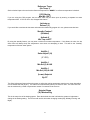
Enter the time to repeat the dehumidify if unable to lower the humidity. If you would like the Procom to constantly
stay in the dehumidify mode if the humidity level is high, without an interruption, enter “Stay in Dly Mode”.
Dehum 1 Dif.
(2)% RH
Set the desired differential for dehumidify. The differential is the amount of humidity decrease that the sensor
must see before disabling dehumidify.
Disable Dehum if
o
below HtSP by (5)
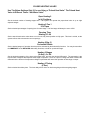
Set the maximum heat loss below the normal heating set point temperature. This will disable any cooling stages
activated during dehumidify. This prevents too much heat loss in the range during dehumidify.
Disable Dehum if
o
above HtSP by (5)
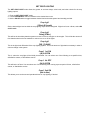
Set the maximum heat gain above the normal heating set point temperature. This will disable any heating stages
activated during dehumidify. This prevents too much heat gain in the range during dehumidify.
20