1
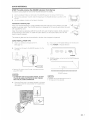
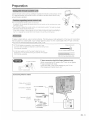
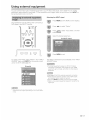
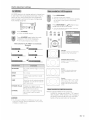
Using external equipment
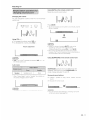
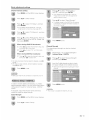
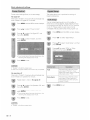
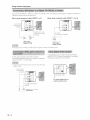
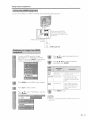
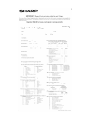
'You can use the lNPU'T 4 or INPUT' 5 tenllinal vvhen connecting
f"'1D~JlI
equiprnent
VVhen usinq an HDfvll··DVI
C()nVE~rS\()n c;:j,ble, input tile
duciio signal to ,~UD!() terrnina~
of If\JPUT 4.
' - - -_ _........J
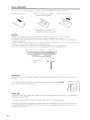
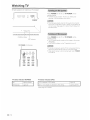
HDMI equiprnent
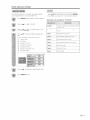
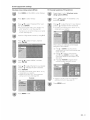
To vvatch an HDi\1l equipnlent irn8~je,
select :;INPUT4<l or hINPUT5'; frofll "INPUT
S()URC~E)l rnenu usinq INPUT on t.he renlote
contra! unit or on the'TV. (See page 31,)
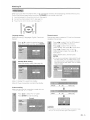
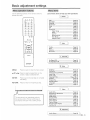
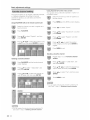
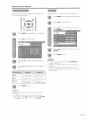
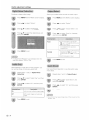
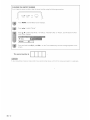
Press A/V to select the desired itGrrl and
press ENTER.
Press A/V / 41/~ to select the desired
setting and press ENTER.
!
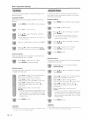
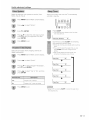
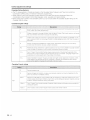
Signal
Type
HGB/YCbCr 4:4:4/
. YCbCr 4:2:?
II
I S'.:-iect trie v~deo signal
I trle HDfvt terminal.
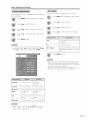
Set
V\/1Vj1Ji8t"
\ji~~\;\f
Iv1cde
I ',"J',,1:_!'lll"_'I:,
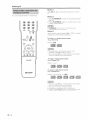
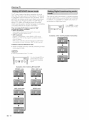
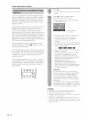
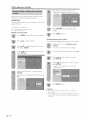
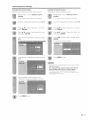
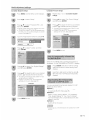
Press MENU and the fV1ENU screen displays.
Press
~j~
to select
to select
press ENTER.
p(CSS ../~
Setup;'; and then
or not to use
on siqnEd
inc~udin~J an j,"[) \/1 I
hCt>:~cJ
Audio
Select
-L
~:()ptior{,
:'H[)~v1!
type ft'Cm
Press MENU to exit.
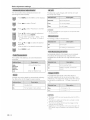
• Refer to your external equipment Or:·\01-ation rnanual fr:x 1:he
'<"~~~lnal typo.
~
29