1
ńŰůŵŦůŵŴ
Important Safety Instructions .................................................................................................................................................1
Declaration of RoHS Compliance ..........................................................................................................................................2
Copyright Information...............................................................................................................................................................3
Product Registration ..................................................................................................................................................................3
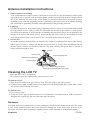
Antenna Installation Instructions ..........................................................................................................................................4
Cleaning the LCD TV...................................................................................................................................................................4
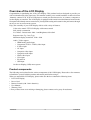
Overview of the LCD Display ...................................................................................5
Product components .................................................................................................................................................................5
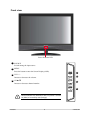
Front view ......................................................................................................................................................................................6
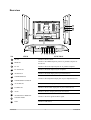
Rear view .......................................................................................................................................................................................7
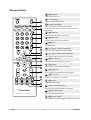
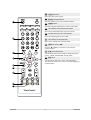
Remote Control ............................................................................................................................................................................8
Getting started ........................................................................................................... 10
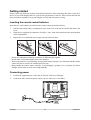
Inserting the remote control batteries .............................................................................................................................10
Connecting power ...................................................................................................................................................................10
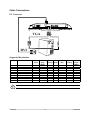
Cable Connections...................................................................................................................................................................11
Basic Operation .........................................................................................................................................................................14
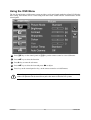
Using the OSD Menu ............................................................................................... 16
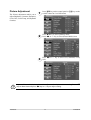
Picture Adjustment ..................................................................................................................................................................17
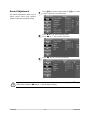
Sound Adjustment ...................................................................................................................................................................19
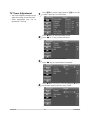
TV Tuner Adjustment ..............................................................................................................................................................21
DTV OSD Functions .................................................................................................................................................................23
PC Setup ....................................................................................................................................................................................28
Setup Adjustment....................................................................................................................................................................29
Using a USB Source..................................................................................................................................................................31
Program Guide ........................................................................................................... 33
Other Information..................................................................................................... 34
Toubleshooting .........................................................................................................................................................................34
Customer Support ...................................................................................................................................................................35
Limited Warranty ......................................................................................................................................................................36