1
DivX Connected User Guide
DivX Connected User Guide
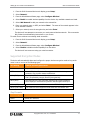
Key Authentication
This Setting
Enables This Authentication Method
Open
Key identification occurs via a wireless adapter's MAC address. It is the
default key authentication method.
* Shared authentication is not supported.
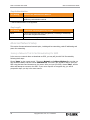
Key Length
This Setting
Establishes This Encryption Key Length
64 bit
This is the original length of an encrypted key, consisting of a 40-bit key
and 24 bits of system information.
128 bit
A more secure encryption key length with 88 additional bits.
Advanced Network Setup
This section discusses advanced network topics, including ad-hoc networking, static IP addressing and
power line networking.
Joining a Network That Is Not Broadcasting Its SSID
In the event your network does not broadcast an SSID, you may still join with DivX Connected by
following these steps.
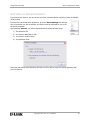
Choose ‘Setup’ on the remote control. Then go to Network > Configure Wireless. Be sure that you
have wireless enabled, and then choose ‘Add Network’. From there, you should be able to input your
SSID using the letters and characters on the screen. After you input your SSID, choose ‘Enter’, and the
device will attempt to connect to the SSID. If your router requires an encryption key, you will be
prompted to input your key in the same manner.
10
Copyright © 2007, DivX, Inc., Confidential
S