1
AR-FX2
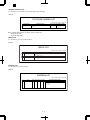
[Copier mode]
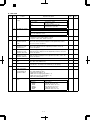
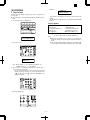
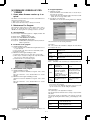
● The START key indicator is lit. (Initial state.)
[Fax mode]
● The display panel shows the following message (initial state):
[Example]
[1] OUTLINE
A. Introduction
This machine is the FAX expansion kit which is attached to the digital
copier AR-160/200 series to provide facsimile functions.
Note:
1) When attaching this machine, the SPF/RSPF, the LCD
panel, and the motherboard are required.
2) The SPF (AR-SP2) or the RSPF (AR-RP1) must be installed
to the copier which this machine is attached to .
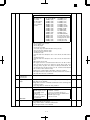
SEP 10 FRI 06:30 PM
STAND-BY
100%
● The LINE STATUS indicator is not lit.
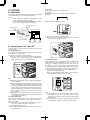
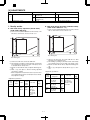
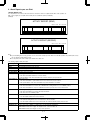
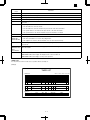
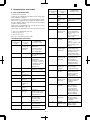
SPF/RSPF (AR-SP2/AR-RP1)
Job separator (AR-TR2)
FAX expansion kit (AR-FX2)
LCD panel kit (AR-PA1)
Not lit
FAX operation panel
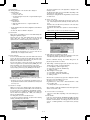
2) Turn the power switch to the “OFF” position.
● If you turn the power off while the machine is in use, a misfeed
may occur. Also, settings will be lost.
Digital copier machine
2MB
4MB
8MB
AR-MM5
AR-MM6
AR-MM7
Expansion memory (One of them is attached to.)
B. Turning Power “ON” and “OFF”
To turn the power on and off, use the power switch located on the left
side of the cabinet.
(1) Turning Power “ON”
To use the fax or copier, turn the power switch located on the left side
of the cabinet to the “ON” position.
1) Turn the power switch to the “ON” position.
● After 15 seconds, the system check is finished and the machine
enters the copier or fax mode initial state. To switch between
copier and fax modes press the COPY/FAX key.
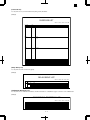
Power Off
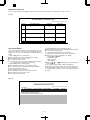
(3) Selecting Fax Mode
This model has two modes: copier mode and fax mode. When the fax
mode indicator above the COPY/FAX key is lit, you can use the
machine as a fax. When the copier mode indicator is lit, you can use
the machine as a copier. To change from copier mode to fax mode,
press the COPY/FAX key. Features available with the fax function (for
example automatic fax reception) are enabled even in copier mode.
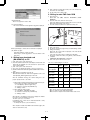
1) If the copier mode indicator is lit, press the COPY/FAX key.
● The fax mode indicator lights up.
● If you are done faxing and want to enter the copier mode, press
the COPY/FAX key again to select copier mode.
Power On
Note:
● When using the fax function, when the initial state is displayed,
you can send faxes.
● When you turn on the power, the machine enters copier mode
or fax mode depending on the last mode used before power was
turned off. For example, if the machine is in copier mode and the
power is turned off, it will enter copier mode when the power is
turned on again. Likewise, if the machine is in fax mode and the
power is turned off, it will enter fax mode when the power is
turned on again.
● The machine is set up from the factory to enter a power save
mode from the copier or fax modes if it is turned on and not used
for a specified period of time.
(2) Turning Power “OFF”
You do not need to turn the power off unless you are trying to clear an
alarm, removing foreign substances from within the machine, or
moving the machine.
Note: Do not turn of power while using the fax machine. If you turn off
the power, you will not be able to receive faxes.
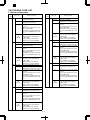
1) Confirm that the machine is idle.
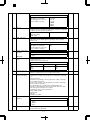
● To confirm that the machine is idle, make sure one of the following conditions exists:
Note:
● If the machine is in use, you cannot change modes. If you want
to manually receive a fax or if you want to quickly enter fax
mode, press the CLEAR key to interrupt copying, and press the
COPY/FAX key.
● After sending or receiving faxes, the machine returns to the fax
mode initial state, but does not return to the copier mode.
1 – 1