1
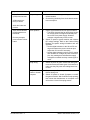
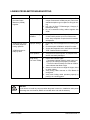
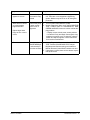
Symptom
Cause
Required Action
• Video Game Machine
(VGM) does not start.
Faulty wiring
1. Assure no wires are caught in hinges, latches or
switch contacts.
2. Check wiring continuity from circuit board connectors to acceptors.
Power problem
1. Inspect circuit boards under low-light conditions.
• The LED’s glow and the fan turns when processor circuits receive voltage and indicate presence of DC from power supply. However,
voltages or signals may not be normal.
2. Switch on power to game machine and measure
DC voltage settings. Refer to the Cabinet Wiring
Diagram for specific wiring information and voltage limits.
• Set the digital voltmeter to the 20-volt DC setting and measure the power connector pins.
Adjust the +5V source if necessary.
• Set the digital voltmeter to the 2-volt AC setting
and measure DC voltages at power connector
pins. Any reading here indicates that supply
voltages are unstable and may contain ripple or
noise.
Faulty wiring
1. Switch off power to game. Check both wiring harness connectors and other types of connectors to
make sure they fully seat onto mating board connectors.
Faulty circuit
boards or Arcade
Computer
1. Run power-up self-test sequence. Note errors or
failures during test.
2. Switch off power to Arcade Computer, but NOT
the game machine. Wait for HDD to stop spinning,
then loosen the thumbscrews on computer cover
and remove. Listen for beeping sounds.
• VGM accepts currency or tokens.
• Audio and video are
present.
• Video Game Machine
(VGM) appears nonfunctional.
• Currency acceptor
price indicator is illuminated.
TROUBLESHOOTING - 4
MIDWAY AMUSEMENT GAMES, LLC