1
chapter 5
Using the Synchronic AudioSuite Plug-in
The AudioSuite version of Synchronic shares
many of the features found in its RTAS counterpart, with some differences as noted in this section.
Using Synchronic AudioSuite
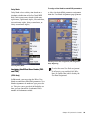
Synchronic AudioSuite is available in the AudioSuite menu in Pro Tools under the Instrument
or Digidesign categories.
To create an instance of Synchronic AudioSuite:
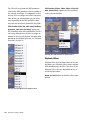
• Choose AudioSuite > Synchronic.
Plug-in settings and presets can be shared
between the AudioSuite and RTAS versions
of Synchronic. However, the AudioSuite version of the plug-in can import and export
only information stored for the Sound, Playback, and Effect modules in the first preset.
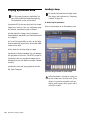
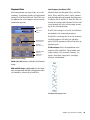
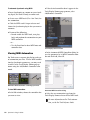
Synchronic AudioSuite
Modules
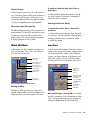
The AudioSuite version of Synchronic includes
three of the five modules found in its real-time
counterpart: Sound, Playback, and Effect. Each
of these modules has been modified slightly for
the AudioSuite version.
The XFade and MIDI modules are real-time
based and are included only in the RTAS
version of Synchronic.
Edit Mode Only in AudioSuite Modules
In the RTAS version of Synchronic, each module
can be independently switched between Edit
and Performance modes with the Mode toggle.
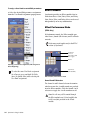
In the AudioSuite version of Synchronic, the
modules function only in Edit mode. Performance mode is not available since its features
are not relevant to non-real time functionality,
and the Mode toggle does not exist.
Synchronic AudioSuite
Chapter 5: Using the Synchronic AudioSuite Plug-in
47