1
Table of contents
Table of contents........................................................................................................3
Setting up ....................................................................................................................5
Unpacking your smartphone ..................................................................................5
Getting to know your smartphone..........................................................................5
Installing or removing the battery ...........................................................................6
Installing a SIM or microSD Card ...........................................................................8
Using your smartphone ............................................................................................9
Turning on for the first time ....................................................................................9
Locking your smartphone.......................................................................................9
Using the touchscreen..........................................................................................10
The Home screen .................................................................................................12
Managing contacts...................................................................................................18
Managing your contacts .......................................................................................18
Making calls ..............................................................................................................19
Before making a call .............................................................................................19
Making a call.........................................................................................................19
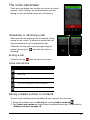
The voice call screen ............................................................................................21
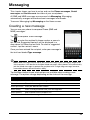
Messaging.................................................................................................................23
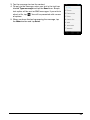
Creating a new message ......................................................................................23
Replying to a message .........................................................................................24
MMS messages ....................................................................................................24
Going online ..............................................................................................................26
Browsing the Internet ...........................................................................................26
Setting up your Google email ...............................................................................26
Composing an email.............................................................................................27
Setting up Email ...................................................................................................27
Maps, Navigation, Places and Latitude................................................................28
Using the camera .....................................................................................................29
Camera icons and indicators................................................................................29
Taking a photo......................................................................................................31
Shooting a video...................................................................................................31
Supported formats ...............................................................................................31
Viewing and sharing photos and videos...............................................................31
Advanced settings....................................................................................................32
Putting your smartphone in Airplane mode ..........................................................32
Adjusting settings .................................................................................................32
Connecting to a PC ..............................................................................................35
FM radio ...............................................................................................................36
Multimedia playback.............................................................................................37
Restoring to factory settings ................................................................................38
Accessories and tips................................................................................................39
Using the headset.................................................................................................39
Using a Bluetooth headset ...................................................................................39
Inserting a microSD Card .....................................................................................39
Appendix ...................................................................................................................40