1
Offline PSR
9.7.2.3
Global X2000 functions
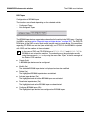
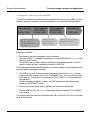
Save
PSR-X V3.0A
Oct 21 2004
Disks
c0t0d0s0
>c0t1d0s0
Save
Disk c0t1d0s0 70086.972 MB
>ROOT
BS2000
SWAP
BS2000
Slices
BACKUP
BS2000
VAR
BOOT
Use CURSOR to move, SPACE to select, ENTER to confirm, CTRL c to abort
Use TAB to skip between disk & slice menu
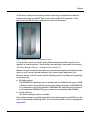
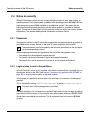
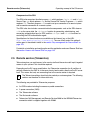
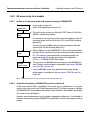
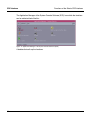
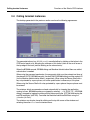
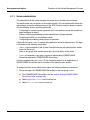
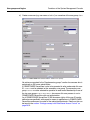
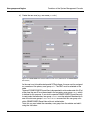
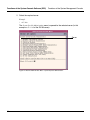
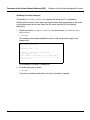
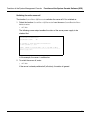
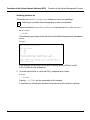
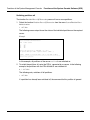
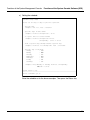
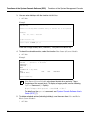
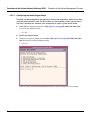
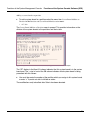
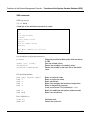
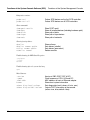
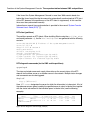
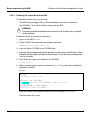
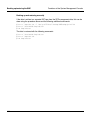
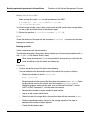
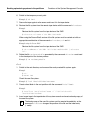
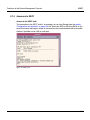
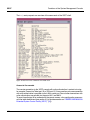
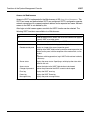
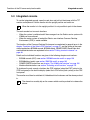
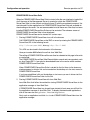
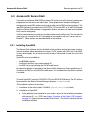
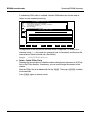
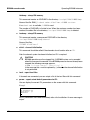
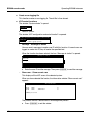
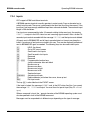
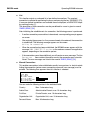
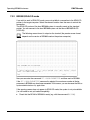
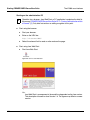
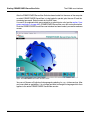
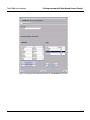
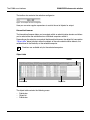
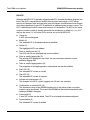
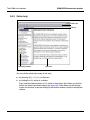
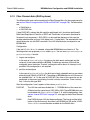
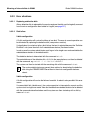
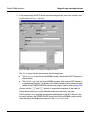
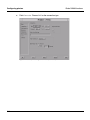
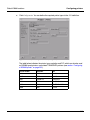
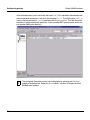
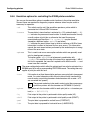
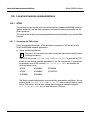
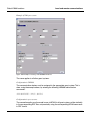
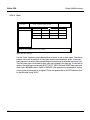
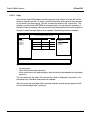
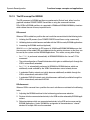
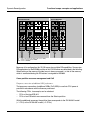
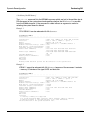
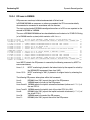
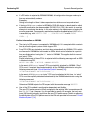
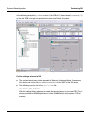
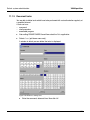
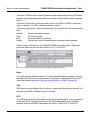
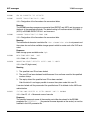
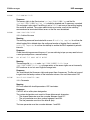
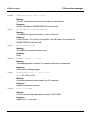
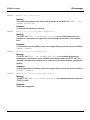
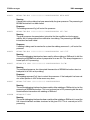
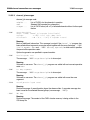
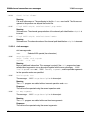
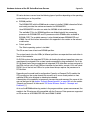
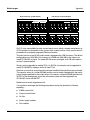
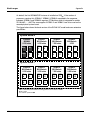
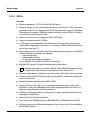
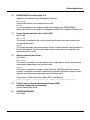
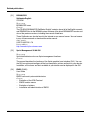
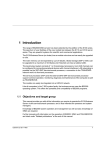
Figure 105: Slice selection
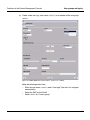
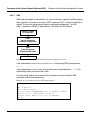
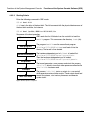
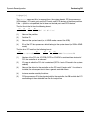
Use the “Save” function to save selected disks or slices to one or more tapes. The saving
process starts with an analysis of the system and the connected disk drives. A two-part
menu appears from which the corresponding disks/slices may be selected (see figure 105).
The file system type is indicated for each slice and is coded in the slice tag. To save and to
restore, the following are proposed: BOOT, ROOT, USR, VAR and HOME slice types and
slices with a BS2000 system. SWAP or BACKUP slice types are not proposed for saving,
nor are types which cannot be assigned. These are represented in the PSR selection form
by the character string “NULL”.
278
U41272-J-Z385-3-76