1
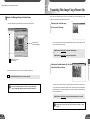
Viewing Sample Pages
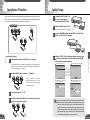
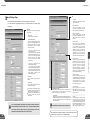
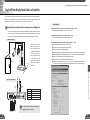
Ready-made video transmission sample pages are provided with the VB101. Follow the procedure below
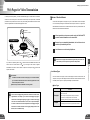
Using a Java Viewer to Transmit Video Images
This section describes how to use the Java Viewers to provide video images. Application examples are also given.
to view these pages. Refer to these pages when creating your own Web pages.
Using a Java Viewer to Create a Web page
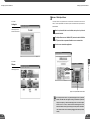
Viewing the Pages
1
Launch your Web browser and enter the following URL:
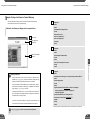
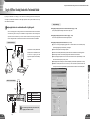
When you use a Java Viewer, the viewer applet to be used must be incorporated into the web
http://192.168.100.1*/sample/
page you provide. However, this is not especially difficult. The page can be created using the
* The underlined portion is a sample IP address. Enter the actual IP address of the camera server.
2
HTML normally used to include an applet.
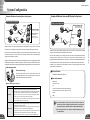
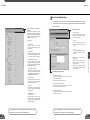
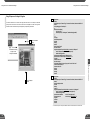
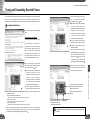
The page shown below appears with links to the other sample pages. Click on the link to the
LiveApplet
sample page you want to view.
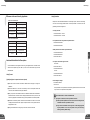
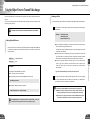
<applet codebase="http://192.168.100.1*/-wvdoc-01-/LiveApplet/"
code="LiveApplet.class" archive="LiveApplet.zip"
width=450 height=380>
<param name=url value="http://192.168.100.1*/">
<param name=cabbase value="LiveApplet.cab">
</applet>
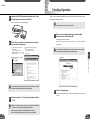
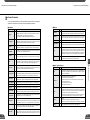
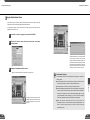
●Examples of sample pages
JavaApplet sample 1
Glimpse
JavaApplet sample 2
<applet codebase="http://192.168.100.1*/-wvdoc-01-/Glimpse/"
code="Glimpse.class" archive="Glimpse.zip"
width=160 height=120>
<param name=url value="http://192.168.100.1*/">
<param name=cabbase value="Glimpse.cab">
</applet>
4
Creating Web Pages
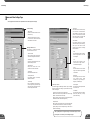
Enter the parameters required by the applet between the <applet> -</applet> tags.
Use the <param> tag for parameters other than the common attributes for applets (codebase,
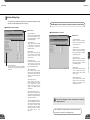
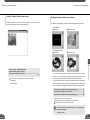
This is a LiveApplet sample page which
code, archive, width and height).
transmits live pictures from the video
and allows users to control the camera.
This is a sample page which displays live video
* The underlined portion is a sample IP address. Enter the actual IP address of camera server.
at a low frame rate. You can also click to use
LiveApplet to operate the camera at a high rate.
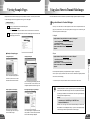
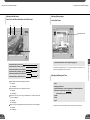
Sample layout for 4 still images
Still image request page using JavaScript
e
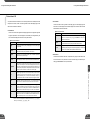
Tip
In Netscape Navigator 3.X, <param> tag values may not be read correctly depending
on the character codes used in the page. If this occurs, the problem can be remedied
by specifying a "ISO-8859-1" as the character set in the <meta> tag at the beginning
of the page in which the applet is running.
Example:
<meta http-equiv ="CONTENT-type" CONTENT="text/
html;charset=ISO-8859-1">
However, if the <meta> tag is used, some characters encoded by the scheme other
than iso-8859-1 will not be displayed correctly. if you want to use foreign languages
62
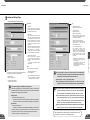
This sample page shows the layout
This is a sample page for an applet in which the
for four still video images.
user specifies the camera control parameters
and a live still video image is displayed.
in the same page, consider using the frames to construct the page.
63