1
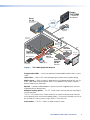
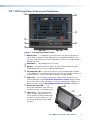
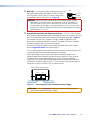
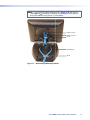
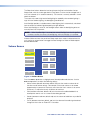
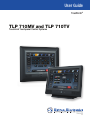
Introduction This guide describes the function, installation, and operation of the TouchLink TLP 710MV and TLP 710 TV panels. The guide also provides information about optional accessories that are available from Extron for both panels. Unless otherwise stated, the terms TLP 710 Series, TLP 710, and TouchLink touchpane refer to both models. About the TLP 710MV and TLP 710TV Each unit has a 7-inch widescreen display with a resolution of 800x480. The screen displays graphic objects and text, which are associated with user-defined functions. The touch overlay screen allows the user to initiate or activate functions by touching the objects on the screen. The screen layout is designed with the Extron GUI Configurator software. The functions are assigned to the screen objects with the Extron Global Configurator software. The user can define the graphics and the functions associated with those graphics, providing versatility and adaptability to the configuration and control of an AV system. A motion sensor, light sensor, and a speaker provide sleep mode, auto dimming, and audible feedback. The TLP 710MV can be wall or rack mounted. The TLP 710TV can be placed on a desktop or VESA® mounted on a wall or furniture, using the Extron LPVM-1 kit. Features 7- inch LCD screen — displays a range of graphic objects and text on a 800x480 pixel screen with 18-bit color depth. Touch screen overlay —provides simple and intuitive control over a range of functions by touching the icons displayed on the screen. Built-in MTP —a twisted pair receiver accepts either S-video or composite video signals over standard CAT 5-type cable. GUI Configurator and Global Configurator Software — allow the user to design a custom graphical user interface (GUI) and associate a range of different functions with objects in that display. No programming knowledge is needed. Easy configuration and flexibility — on-screen graphics and text, as well as the functions associated with them, can be easily changed to adapt the control panel to the evolving needs of the system, avoiding the need for additional control modules. Ethernet connection — provides an inexpensive, easily installed cabling option for connecting products located anywhere else on the network. Power over the Ethernet (PoE) — allows the touchpanel to receive power and control over a single CAT 5-type cable, eliminating the need for a local power supply - PoE injector included. Compatible with the full range of Extron IP Link Pro control processors — allows easy integration into existing systems. TLP 710MV and TLP 710TV • Introduction 1