1
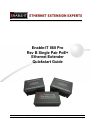
INSTALLING THE 868 PRO SINGLE PAIR POE+ KIT The Enable-IT 868 Pro PoE+ & Extended Ethernet Kit have a distance restriction of 1,000ft or 305m over 1-pair of Category 3 up to Category 5e / CAT6 wiring from your LAN and power source to the remote PoE+ device. Therefore quick, simple site surveys and installation planning are highly recommended – This is ideal for installing PoE+ IP Security cameras or PoE+ WiFi Access Points. This chapter describes the recommended installation process for the Enable-IT 868 Pro PoE+ & Extended Ethernet Kit. It covers the following topics: Site Plan – Installation Design Considerations Unpacking the Enable-IT 868 Pro PoE+ & Extended Ethernet Kit Perform an out of the box Test Performing the On-Site Installation Site Plan - Installation Design Considerations The planning process should involve a site walkthrough and discovery survey. Electrical Cable measurement tools are the most reliable method to determine the longest run of hidden wiring. Estimate the best locations to position the Broadband Concentrators to adequately reach desired connectivity on each floor. Document your findings to use in designing a network topology to support the Ethernet Switches and backbone connectivity. Key points to remember in the Site Survey. Total distance limitation of 1,000ft / 305m from end to end. 1-pair Cat5e .30 Gage or better cabling is required for the 868 Pro Interlink transmission. Cisco PoE+ single line injector support built in. Not compatible with any PoE+ switches as the PoE+ switches are not smart enough to understand Extender Ethernet timing mechanisms and fail to set correct output voltage and will subsequently disable the PoE+ switch port. Transparent to single line 802.3af/802.3at PoE+ injectors and devices. For CAT3 wiring (1-pair/2 wires) you will need to crimp a RJ-45 Male Head to each end of the contiguous wire run and using the following pins (1,2) straight through. This will deliver Ethernet Data and PoE+. For CAT5e or better wiring (1-pair/2 wires) you will need to crimp a RJ-45 Male Head to each end of the contiguous wire run and using the following pins (1,2) straight through. This will deliver Ethernet Data and PoE+. 868 Pro CO All Rights Reserved 1997 - 2014 Enable-IT, Inc. 868 Pro CPE Page 2 of 7