1
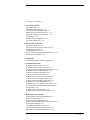
Contents
Servicing—At a Glance iii
1 General Information
General Reference 1-3
Cleaning Optical Connectors 1-4
Electrostatic Discharge Information 1-9
Returning the Instrument for Service 1-11
Agilent Technologies Service Offices 1-13
Specifications 1-14
Recommended Test Equipment 1-15
Preventative Maintenance 1-17
2 Performance Verification
Performance Verification 2-2
Time Interval Accuracy Performance Test 2-3
Front Panel Cal Signal 2-11
Jitter Performance Test 2-13
Trigger Verification (Standard and Option 001) 2-18
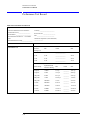
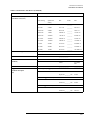
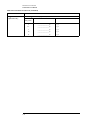
Performance Test Record 2-24
3 Adjustments
86100A/B Mainframe Timebase Adjustment 3-3
4 Assembly Replacement
To Remove the Mainframe Cover 4-4
To Remove the Mainframe Front Panel 4-7
LS-120 Disc Drive Modification (86100A Only) 4-12
To Remove the A2 Flat Panel Display 4-14
To Remove the Display Backlights 4-15
To Remove the A8 Touch Screen 4-17
To Remove the A7 Front Panel Keyboard 4-18
To Remove the A3 Backlight Inverter 4-20
To Remove the Front Panel Trigger Input 4-23
To Remove the A4 PC Motherboard 4-25
To Remove the A13 Acquisition (Option 001) 4-32
A13 Acquisition Board PLD Header Modification
(86100A Only) 4-36
To Remove the A1 Power Supply 4-37
To Remove the A6 Distribution Assembly 4-39
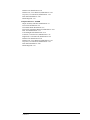
5 Replaceable Parts—86100A
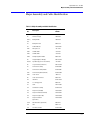
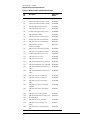
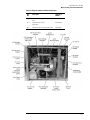
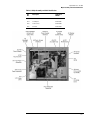
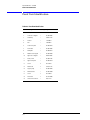
Major Assembly and Cable Identification 5-3
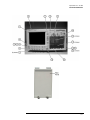
Front View Identification 5-6
Front Inside Panel Identification 5-8
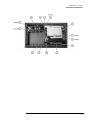
Front View, Front Panel Removed, Identification 5-10
Rear View Identification 5-12
Left and Right Side Identification 5-14
Left Side, Cover Removed, Identification 5-16
Right Side, Cover Removed, Identification 5-18
Contents-1