1
SCAN
2
Scanning from a WIA-Compliant Application (Windows XP/Vista)
(part 1)
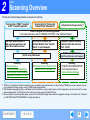
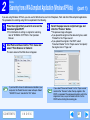
If you are using Windows XP/Vista, you can use the WIA driver to scan from Sharpdesk, Paint and other WIA-compliant applications.
The procedure for scanning using Paint is explained in the following.
1
Place the original that you wish to scan on the
document glass/RSPF.
☞For information on setting an original for scanning,
refer to "NORMAL COPYING" in the Operation
Manual.
2
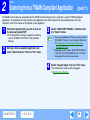
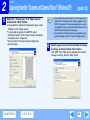
Start Paint and then click the "File" menu and
select "From Scanner or Camera".
3
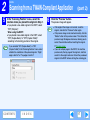
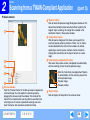
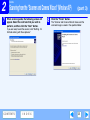
Select the paper source and picture type, and
click the "Preview" button.
The preview image will appear.
If you placed the original on the document glass, select
"Flatbed" for the "Paper source".
● If you placed the original in the RSPF, select
"Document Feeder" for the "Paper source" and specify
the original size in "Page size".
●
●
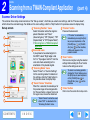
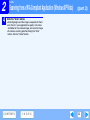
The scan screen of the WIA driver will appear.
Note
If you have WIA drivers for other devices installed in your
computer, the "Select Device" screen will open. Select
"SHARP FO-xxxx" and click the "OK" button.
CONTENTS
I N D E X
Note
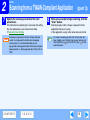
If you select "Document Feeder" for the "Paper source"
and click the "Preview" button, the top original in the
RSPF is previewed. The previewed original is sent to the
original exit area, so you will need to return it to the
RSPF before starting the scanning job.
21