1
Authentication Configuration Example
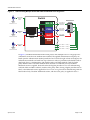
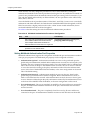
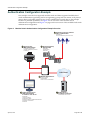
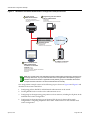
Figure 5
Stackable Fixed Switch Authentication Configuration Example Overview
4
3
Printer cluster
MAC Authentication
Enable MAC authentication
Set MAC authentication password
Enable Port
Engineering end-user stations
802.1x authentication
Enable Eapol
Enable 802.1x
Set non-Authentication ports to force-auth
LAN Cloud
1
Stackable Switch
Configure policies
Enable RADIUS
Enable multi-user authentication
2
5
Public internet access
PWA Authentication
IP address: 10.10.10.201
Radius Server 1
IP address: 10.20.10.01
Create RADIUS user accounts
Enable PWA
Configure IP address
Enable Enhance Mode
Enable Guest Status for RADIUS Authentification
Set Guest ID and Password
Enable Port
Note: The modular switch and stackable fixed switch authentication examples are presented here
as a single discussion. Any input and information that is not applicable to both platform groups is
identified. All other information is applicable to both platform groups. The stackable fixed switch
example discussion assumes a C3 device authentication functionality.
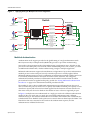
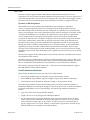
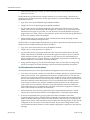
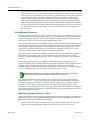
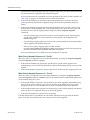
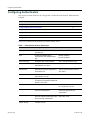
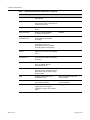
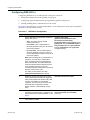
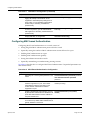
Our configuration example consists of the following steps as shown in Figure 4 and Figure 5 and described in the sections that follow:
April 15, 2011
1.
Configuring policies, RADIUS, and MultiAuth authentication on the switch.
2.
Creating RADIUS user accounts on the authentication server.
3.
Configuring for the engineering group 802.1x end‐user stations, including the IP phone in the stackable fixed switch configuration.
4.
Configuring for the engineering group Siemens CEP devices for the modular switch configuration. Configuring the printer cluster MAC authentication for the stackable fixed switch configuration.
Page 30 of 36