1
Table of Contents
About this Guide ................................................................................................................. v
Chapter 1. Batteries and Power ...................................................................................... 1-1
Overview ...................................................................................................................1-1
Suspend Mode ............................................................................................................1-1
Suspending ..........................................................................................................1-1
Resuming ............................................................................................................1-2
Batteries ....................................................................................................................1-2
Battery Warnings and Cautions ...............................................................................1-2
Battery Disposal ..................................................................................................1-4
Chapter 2. Software Applications.................................................................................... 2-1
Overview ...................................................................................................................2-1
Inbox ........................................................................................................................2-2
Internet Explorer ........................................................................................................2-3
Media Player ...............................................................................................................2-4
Rotating the Screen .....................................................................................................2-4
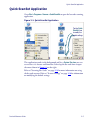
Quick ScanSet Application ............................................................................................2-5
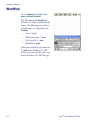
WordPad ....................................................................................................................2-6
Installing Programs .....................................................................................................2-7
Using an Installation Wizard ...................................................................................2-7
Installing Programs Manually ..................................................................................2-7
Using File Explorer to Add to the Start Menu .............................................................2-8
Using ActiveSync to Add to the Start Menu ...............................................................2-8
Removing Programs ....................................................................................................2-8
Firmware Update Utility ...............................................................................................2-9
Retrieving a Firmware Image Update .......................................................................2-9
Installing FUU on the Host PC ............................................................................... 2-10
Updating Falcon Firmware .................................................................................... 2-14
Restoring Falcon Firmware ......................................................................................... 2-16
AutoCAB .................................................................................................................. 2-16
AutoCE .................................................................................................................... 2-18
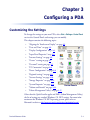
Chapter 3. Configuring a PDA.......................................................................................... 3-1
Customizing the Settings .............................................................................................3-1
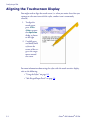
Aligning the Touchscreen Display ..................................................................................3-2
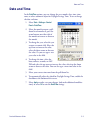
Date and Time ............................................................................................................3-3
Display Configuration ...................................................................................................3-4
Input Panel Properties .................................................................................................3-5
Internet Settings .........................................................................................................3-5
Owner .......................................................................................................................3-7
Password ...................................................................................................................3-7
Product Reference Guide
i