1
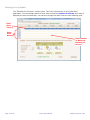
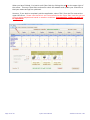
Next, connect the sprinkler valve wires for each zone to the slots numbered 1 through 8 on the
controller, noting a description of each zone and the slot that you are connecting it to below. If
your sprinkler system has fewer than 8 zones, start with zone 1 and continue until finished. All
8 zones do not need to be activated. If you have more than 8 zones, you will need an
additional controller (see page 41).
Slot
1
2
3
4
5
6
7
8
Wire Color
_______________
_______________
_______________
_______________
_______________
_______________
_______________
_______________
Zone Description
___________________________________________
___________________________________________
___________________________________________
___________________________________________
___________________________________________
___________________________________________
___________________________________________
___________________________________________
*Please note: Cyber-Rain XCI is designed to be installed indoors (e.g., your garage, laundry
room, other indoor access area). If you wish to install the unit outdoors, please order an
outdoor box from Cyber-Rain or otherwise install the unit in a weatherproof box that is not
made from metal.
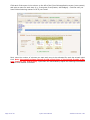
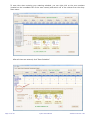
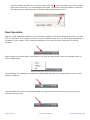
Next, connect the white end of the AC adapter plug to the bottom of the controller making sure
that is tight and secure. Note: the AC adapter plug can only be inserted one way (see
pictures below) and will snap securely into place when installed correctly. Next, connect the
wall transformer to a 120VAC wall outlet.
Page 5 of 43
Cyber-Rain Manual
Software Version 3.00