1
Introduction
Welcome to the Control4® world of home automation!
Your Control4 system lets you automate many of the electrical, electronic, and
motorized devices in your home, helping to make your home or business more
enjoyable for you and your family or business clients.
• Control your lights from the buttons on your keypad. Edit lighting scenes
on your touch screens or Control4 apps.
• Control videos, movies, music, and blinds in your home theater using your
remote control, touch screens, Control4 apps, and more.
• Play music in every room or on the patio with music zones or using a
smartphone, tablet, computer, or touch screen.
• Control heating, cooling, the security system, sprinklers, garage door
opener, fireplace, pool, spa, and much more from a keypad or Navigators.
• Use intercom to send and receive audio and video (requires at least two
touch screens that support intercom).
• Monitor and automate your home remotely using the Control4 app or web
and 4Sight with Anywhere Access.
• Control equipment and devices in specific rooms. The Control4 Navigators
let you control devices in one room or the whole house. To control the
room you want, simply change rooms (see “Change Rooms”).
• Manage several devices per room. Control your TV, receiver, tuner, DVD
player, movie projector and screen, and more in the same room.
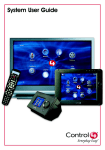
This System Quick Start Guide gives you quick information about how to start
enjoying your Control4 system right away.
Your Control4 Dealer may have referred you to this guide after installing
your system. If you still want more information about your system, refer to
feature-specific guides (ctrl4.co/userguide) or other guides and videos
(ctrl4.co/cdocs). If you still have questions about how to make your system
perform the way you want it to, don’t hesitate to contact your dealer, who may
have some great suggestions.
In this guide, you’ll learn some basics about how to:
• Set up your account and register your system.
• Customize your system your way.
• Use the Navigators (touch screens, remotes, Control4 app, TV on-screen,
and so on) to manage lights, music, videos, intercom, security, heating,
cooling, and more.
• Use 4Store to use apps on your Navigators.
• Learn about in-depth control over your system’s settings using Composer
Home Edition (Composer HE, sold separately) or Composer Media Edition
(Composer ME, free download).
3