1
Table of contents
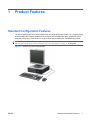
1 Product Features
Standard Configuration Features ......................................................................................................... 1
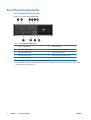
Front Panel Components ..................................................................................................................... 2
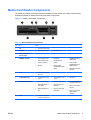
Media Card Reader Components ......................................................................................................... 3
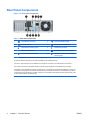
Rear Panel Components ...................................................................................................................... 4
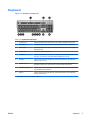
Keyboard .............................................................................................................................................. 5
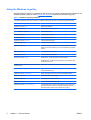
Using the Windows Logo Key .............................................................................................. 6
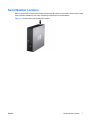
Serial Number Location ........................................................................................................................ 7
2 Hardware Upgrades
Serviceability Features ......................................................................................................................... 8
Warnings and Cautions ........................................................................................................................ 8
Unlocking the Smart Cover Lock .......................................................................................................... 9
Smart Cover FailSafe Key ................................................................................................... 9
Using the Smart Cover FailSafe Key to Remove the Smart Cover Lock ............................. 9
Removing the Computer Access Panel .............................................................................................. 11
Replacing the Computer Access Panel .............................................................................................. 12
Removing the Front Bezel .................................................................................................................. 13
Removing Bezel Blanks ..................................................................................................................... 14
Replacing the Front Bezel .................................................................................................................. 15
Using the Small Form Factor Computer in a Tower Orientation ........................................................ 16
Installing Additional Memory .............................................................................................................. 18
DIMMs ............................................................................................................................... 18
DDR2-SDRAM DIMMs ...................................................................................................... 18
Populating DIMM Sockets ................................................................................................. 19
Installing DIMMs ................................................................................................................ 20
Removing or Installing an Expansion Card ........................................................................................ 22
Drive Positions ................................................................................................................................... 27
Installing and Removing Drives .......................................................................................................... 28
System Board Drive Connections ...................................................................................... 30
Removing an Optical Drive ................................................................................................ 31
Installing an Optical Drive into the 5.25-inch Drive Bay ..................................................... 33
Removing an External 3.5-inch Drive ................................................................................ 36
Installing a Drive into the 3.5-inch External Drive Bay ....................................................... 39
ENWW
v