1
Contents
Chapter 1
Introduction
Welcome to Matrox MC-100 ................................................................ 2
Matrox MC-100 requirements..................................................................... 2
Updating your MC-100 hardware ......................................................... 2
Last-minute information ....................................................................... 3
Chapter 2
Connecting External Devices to Matrox MC-100
Available Matrox MC-100 connections................................................. 6
Powering Matrox MC-100..................................................................... 6
Matrox MC-100 operating safety feature .................................................... 6
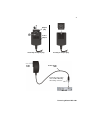
Matrox MC-100 power supply and adapter plugs....................................... 6
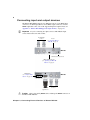
Connecting input and output devices................................................... 8
Chapter 3
Using Your Matrox MC-100 Hardware
Overview.............................................................................................. 10
Understanding the MC-100 status LEDs ............................................. 10
Using the MC-100 DIP switches .......................................................... 10
MC-100 channel definitions ..................................................................11
Amplifying input signals ....................................................................... 12
Time base correction and synchronization ......................................... 12
Loss-of-signal switcher ....................................................................... 12
How it works ............................................................................................. 12
Enabling the loss-of-signal switcher .......................................................... 13
Using the OSD buttons ........................................................................ 14
Accessing the OSD main menu ........................................................... 14
Specifying your input settings ............................................................. 16
Viewing input information .......................................................................... 17
Supported input formats............................................................................ 17
Specifying your output settings ........................................................... 18
Specifying your 3D settings ................................................................ 20
Using the MC-100 selection modes ................................................... 22