1
Using Databases with ID Works Projects
93
they are available or by matching column names if there are no
foreign keys or if an ODBC provider is used. A project can be
connected to up to ten tables.
Always connect Production Form fields to the database parent table
columns first. Connect child table columns after all the parent table
columns are connected. Child table key columns used to relate
records to the parent table do not require a connection. They will be
automatically kept in sync with the parent table by the ID Works
application.
Table rows must be related in a one-to-one relationship if inserts or
deletes are allowed for the project. Updating will work with a one-tomany relationship if updates are restricted to data in the child tables.
Selection supports a one-to-many relationship.
The Delete All command is not selectable in the Production
application if the project is connected to multiple database tables.
Table Types
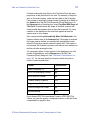
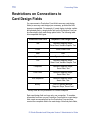
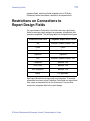
Database table and column names should follow the restrictions
listed in the table on page 104. There may be exceptions to this list
for your database. If you use characters on the restricted list, try the
project using the ID Works Production software to make sure you can
connect to the database as well as search for and store data
correctly.
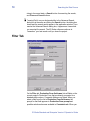
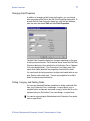
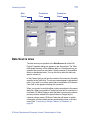
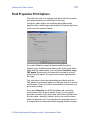
The Show Table Types area of the Edit Project Properties Data
Source tab lets you limit the kinds of tables you will see while working
in the ID Works field connector. Filtering out unneeded information
will simplify the task of connecting Production Form fields to their
corresponding database fields. The particular database you use may
not support all the table types listed.
Database Login
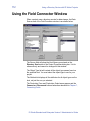
You access the database when you use the Field Connections
window in ID Works Designer. In ID Works Production, Reporting,
and View, you access the database when you open a project that has
connections to a database.
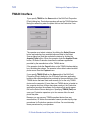
If the database you will connect to requires a user name and
password for access, the Project Properties dialog box, Data Source
ID Works Standard and Enterprise Version 5 Administrator’s Guide