1
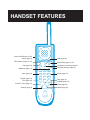
HANDSET
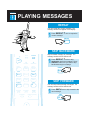
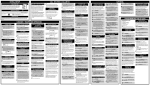
22 PLAYING MESSAGES
PAGE
REPEAT
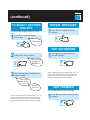
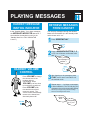
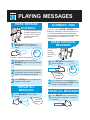
You can repeat the current message. The
message number will appear in the display.
1
Press REPEAT
current message.
* once to repeat the
REPEAT
*
TONE
SKIP BACKWARD
HOLD
SCREEN
PLAY
TALK
LO BATT
MESSAGE
BOX 1
BOX 2
BOX 3
1
2 ABC
3 DEF
SAVE
5 JKL
6MNO
7 PRS
8 TUV
9WXY
VOLUME
0 OPER
AUTODIAL
CHANNEL
#
FLASH
REDIAL (PAUSE)
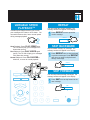
Press REPEAT
twice to skip
backward to previous messages. Press
REPEAT each time you want to skip
backward through a message.
*
REPEAT
*
TONE
SKIP FORWARD
SKIP
REPEAT
TONE
1
ERASE
4 GHI
*
Skip backward message by message. The
message number will be announced.
You can skip forward through messages. The
message number will be announced.
1
Press SKIP # once to skip forward to the
next message.
SKIP
#