1
Table of Contens
1. DESCRIPTION
1.1 Printer Overview
1.1.1 Control Panel
1.1.2 Push Buttons
1.1.3 Signal Lights
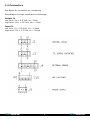
1.2 Connectors
1.3 Sensor - Paper End
1.4 Sensor - Automatic Form/Paper loading and advance
4
4
5
5
5
7
8
9
2. INSTALLATION
2.1 Unpacking
2.2 Procedure for Installation
2.3 CAUTION!
2.4 Power Supply
2.5 Printer Set up
2.6 Paper Loading
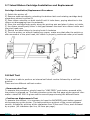
2.7 Inked Ribbon Cartridge Installation and Replacement
2.8 Self Test
11
11
11
11
12
13
14
15
15
3.0 INTERFACES
3.1 TTL Interface
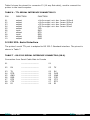
3.2 RS 232- Serial Interface
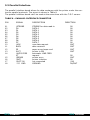
3.3 Parallel Interface
16
16
17
18
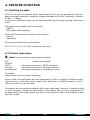
4. PRINTER FUNCTION
4.1 Printing Formats
4.2 Control characters
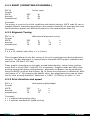
4.2.1 RESET (OPERATING COMMANDS.)
4.2.2 Aligment Tuning
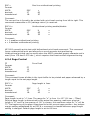
4.2.3 Print direction and speed
4.2.4 Page Control
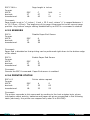
4.2.5 SENSORS
4.2.6 PRINTER STATUS
4.2.7 BUZZER CONTROL
4.2.8 DATA CONTROL
4.2.9 PAPER FEED
4.2.10 VERTICAL MARGINS (FORMAT COMMANDS)
4.2.11 VERTICAL TABS
4.2.12 HORIZONTAL MARGINS
4.2.13 HORIZONTAL TABS
4.2.14 TEXT JUSTIFICATION CONTROLS
4.2.15 PRINT QUALITY
4.2.16 PRINT PITCH (PRINTING STYLES)
4.2.17 CHARACTER WIDTH
4.2.18 PRINT STYLES
4.2.19 NATIONAL CHARACTER SET
4.2.20 POWER REDUCTION COMMANDS / select number of copies
19
19
19
20
20
20
21
22
22
23
24
25
27
27
29
30
31
31
32
33
34
36
36
DCA Intertel
2
DCA Intertel