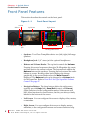
1
C h a p t e r 5 M e n u L i st
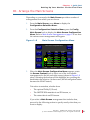
Configuration Selection Menu
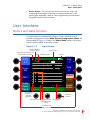
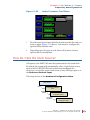
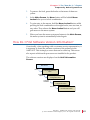
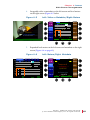
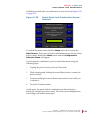
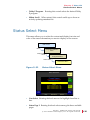
• Default 2-4-8: Rotating this knob configures the meters into
clusters of two, four, or eight. Pressing this knob reformats the
screen to form two clusters of eight channels each, four clusters of
four channels each, or eight clusters of two channels each.
Configuration Selection Menu
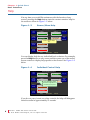
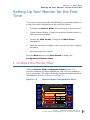
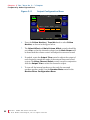
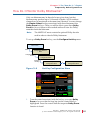
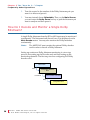
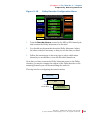
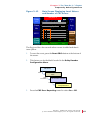
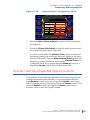
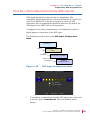
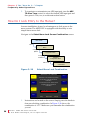
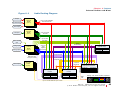
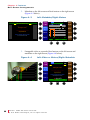
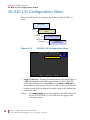
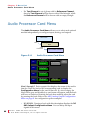
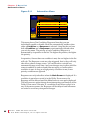
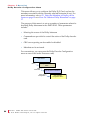
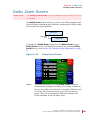
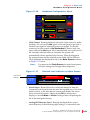
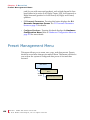
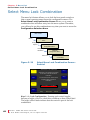
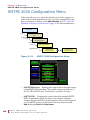
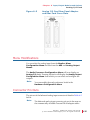
The Configuration Selection Menu allows you to modify meters,
audio, and Dolby configurations and it allows you to select and modify
SDI input selections, and audio outputs.
Main Screen
Menu
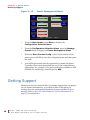
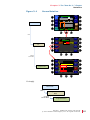
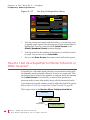
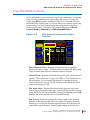
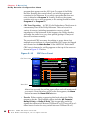
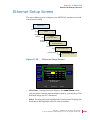
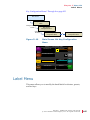
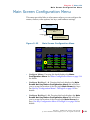
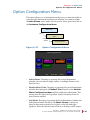
Figure 5–11
Recall
Preset
Configuration Selection
Menu
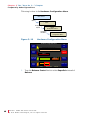
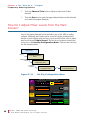
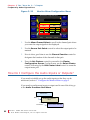
Configuration Selection Menu
Configuration Selection Menu
1
Push knob to recall
User Preset 1
Video / SDI
Source
Slot 1
Input 1
Input 2
Manage
Presets
SDI Input
Select
Configure
Monitor
Mixer
Audio
Processors
Configure
Main
Screen
Configure
Options
Help
Save / Exit
Cancel
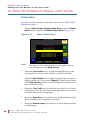
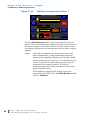
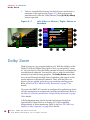
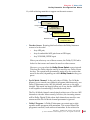
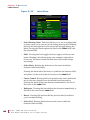
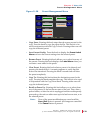
• Recall a Preset: Rotating this knob steps through each of the 32
user-defined presets. Pressing the knob recalls the displayed preset.
• Video/SDI Source: This control only appears when one or more 3G
SDI I/O cards are installed. The number of slots displayed depends
in the number of cards installed. Rotating this knob selects the video
source to be displayed on the left-hand screen.
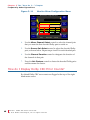
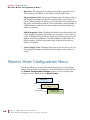
• Configure Monitor Mixer: Pressing this knob displays the
Monitor Mixer Configuration Menu where you can define the
92
821116:
A M P 2 - 1 6 V S er ie s U s e r G u i d e
© 2 0 1 1 Wo h l e r Tec h n o l o g i e s , I n c. A l l r i g h t s r e s er ve d .