1
SEARCHING TECHNIQUES, continued
Repeat
Playback
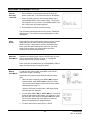
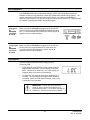
You can playback a section of tape over and over using repeat
playback. The tape will play until the next index mark, rewind
to the previous index mark, and resume playing. If there is
only one index mark on the tape, then the VCR will play or
rewind to that mark and resume playback. If there is no index
mark, the entire cassette will repeat.
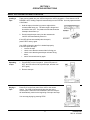
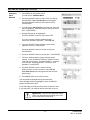
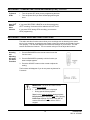
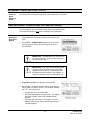
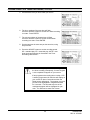
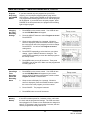
1. Press AUDIO/VIDEO on the remote control to display the
function menu. Press AUDIO/VIDEO until the Repeat play
function appears.
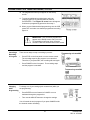
2. To start the playback, press ENTER. When the VCR
encounters the next mark or the end of the tape, it will
automatically rewind to the previous mark and begin
playback again. The VCR will also search for a blank
section of tape. If the VCR encounters any blank sections
longer than 4 seconds in length, the repeat playback will
begin.
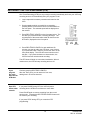
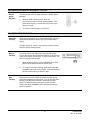
3. Press STOP to cancel the repeat.
IMPORTANT: While the VCR is rewinding to the
beginning of the tape, you cannot use repeat
playback, counter zero stop, or index search.
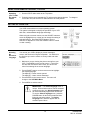
DISPLAYING THE TIME GAUGE AND THE REMAINING TIME
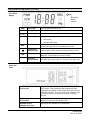
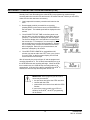
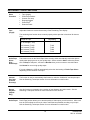
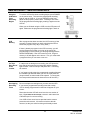
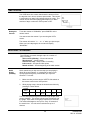
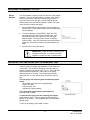
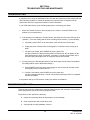
The time gauge is a graphic representation of your position on
a video tape. The left side of the gauge is the tape start (S),
and the right side is the tape end (E). For a T-120 length tape
played at standard speed (SP), each mark on the gauge
represents about 15 minutes. The remaining time display
shows the time, in hours and minutes, left until the end of a
tape.
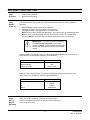
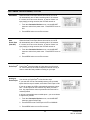
The time gauge and remaining time automatically appear
during:
fast forward and rewind (from a stopped tape),
counter zero stop,
index searches, and
rewinding for repeat playback.
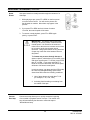
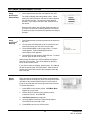
Turn off the time gauge and the remaining time by
pressing DISPLAY twice.
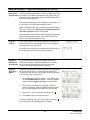
To make the time gauge and the remaining time appear,
press DISPLAY once. The time gauge and remaining time
appear on the monitor. They disappear after 4 seconds when
playing a tape.
To turn off the display, press DISPLAY twice.
31
KRMU000003
REV A - 07/20/01