1
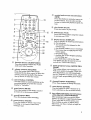
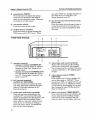
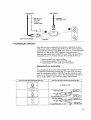
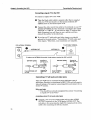
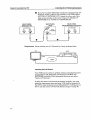
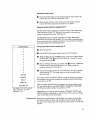
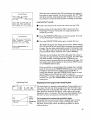
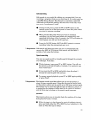
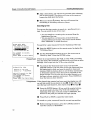
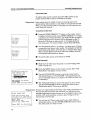
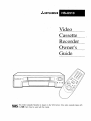
5 e nj rVC. Now that you've completed your antenna, VCR, and TV connections, you're ready to start enjoying your ecuipment. To get the most satisfaction out of your VCR, you shmdd carefully read the two sections, "Setting Up Your VCR for t:he First Time" and "Viewing the Picture Coming from Your VCR." Then you can start exploring what your new VCR can do. In this chapter, $ you'll learn: Setting UpYourVCR for the First Time Using the Remote Control $ Viewingthe Picture Comingfrom YourVCR Loadingand UnloadingTapes Playinga Tape Selectingthe On-screenLanguage UsingtheAudio and VideoFunctions $ Usingthe Menus to Set the Time $ Programmingthe VCRto ReceiveTV Cl_annels Recording Setting UpYourVCRfor the FirstTime It's important that your VCR is set up correctly before you try to work it. If you carefully read this section, you will avoid confusion later and get the most out of operating your system. This section teaches * Setting • Setting you about: up your VCR if you are using a regular TV, and up your VCR if you are using a monitor TV. Setting upyour VCR if you are usinga regu