1
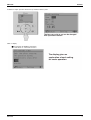
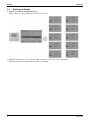
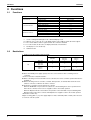
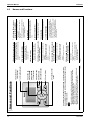
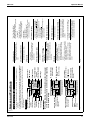
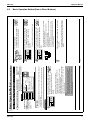
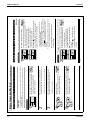
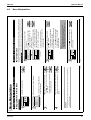
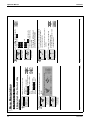
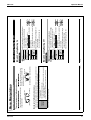
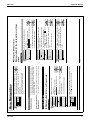
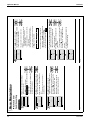
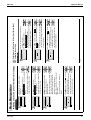
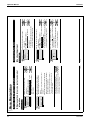
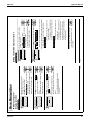
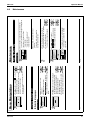
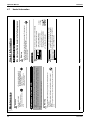
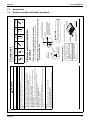
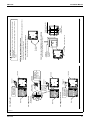
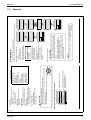
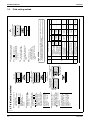
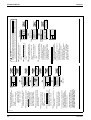
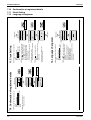
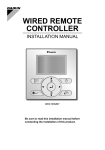
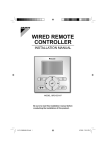
BRC1E61 3P243520-1 Setting 1/2 Main menu screen Return Set temp mode changeover Airflow Direction Quick Cool/Heat On/Off Ventilation Timer setting Service Contact/Model Info MainMenu Ɣ To go back to the basic screen from the main menu screen, press the Cancel button. 2. Press Menu/Enter button to display the selected settings screen. 1. Press buttons to select the desired item to be set. Ɣ Selecting items from the main menu. Instructions for manipulating the buttons will appear. Ɣ The main menu screen will appear. English 3 2 1 28 °C 20 °C min 28 °C 20 °C min 28 °C 20 °C Set temperature max Return Press the menu button Fan Return Press the menu button min Set temperature max Basic screen Fan 1/2 Ɣ Pressing buttons switches the variable set temperature between max. and min. Note Ɣ The difference between the maximum and minimum temperatures cannot be set to less than 6°C. (* Maximum temperature – Minimum temperature 6°C) Ɣ To change the set temperature, buttons. press The set temperature is highlighted and ready to be changed. Ɣ The set temperature will increase by 1°C when the button is pressed and decrease by 1°C when the button is pressed. * To return to the normal set temperature screen, use “Set temp mode changeover” in the Main Menu again. Ɣ Press buttons to select “Set temp mode changeover” on the main menu screen. Ɣ Pressing Menu/Enter button takes you back to the basic screen, and the set temperature is displayed in max °C min °C. (Limit Operation) (See page 26.) Ɣ Display the main menu screen. 2/6/2009 5:50:03 PM 27 The limit operation can not be enabled when a centralized control is connected. Set temperature max Setting Return Press the menu button Fan Return Set temp mode changeover Airflow Direction Quick Cool/Heat On/Off Ventilation Timer setting Service Contact/Model Info MainMenu 2/6/2009 5:50:03 01_EN_3P243520-1.indd PM 27 English Ɣ While setting items, if a button is not pressed for 5 minutes, the screen will automatically go back to the basic screen. 01_EN_3P243520-1.indd 26 26 Setting 28°C Set temperature Basic screen Return Cool Caution 4 3 2 1 Operation Method Operation Method Ɣ Press Menu/Enter button. Limit Operation Limit operation provides thermostat control within the range of the set minimum and maximum temperature. The minimum temperature setting will trigger heating. The maximum temperature setting will trigger cooling. Display Method for Main Menu Set temp mode changeover 6.5 Manipulating the Main Menu Screen Menu Manipulation ED72-975 Operation Manual Menu Manipulation 23