1
INSTALLATION
The INSTALLATION mode allows you to easily check the channels that
you have just installed and verify that they are within limits. If you have
configured channel packages, you can tell your MS1400 which packages
the subscriber has ordered and it will display only those channels.
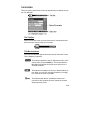
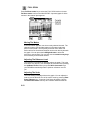
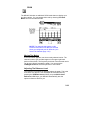
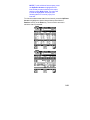
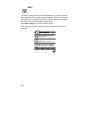
Press Installation key to select the INSTALLATION mode or choose the
Installation icon from the NAVIGATOR. Your MS1400 will begin
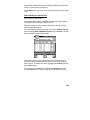
measuring all the enabled channels in the plan. A bar graph indicates the
percentage of channels measured. When your
MS1400 has finished, you can view the results and verify that all
channels are within limits.
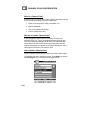
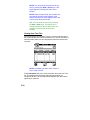
Selecting Channel Packages
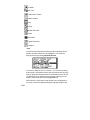
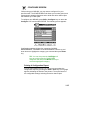
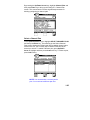
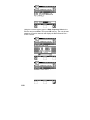
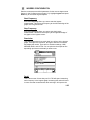
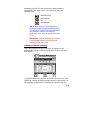
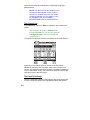
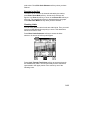
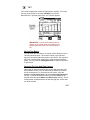
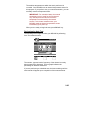
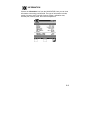
If you have configured channel packages, a list of available
packages will appear. From this list, you can select the packages
that the subscriber has ordered. The number to the right of the
package name tells you how many channels are included in each
package. Press Up/Down Arrows to highlight a package and then
press Select soft key to select it. A check mark appears in the lefthand column of the list indicating that the package is selected. If the
highlighted package is already selected, pressing Select soft key
deselects it.
TIP: Select “ALL CHANNELS” if you want to
include all the enabled channels in the plan.
Press OK soft key or Enter when you have finished. Now your
MS1400 will only evaluate the channels from the packages that you
have selected.
TIP: You can return to this screen at any time
to change your package selection by pressing
Channel Package soft key.
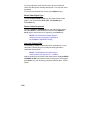
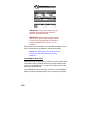
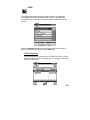
Selecting The Test Point
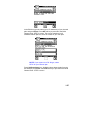
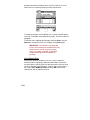
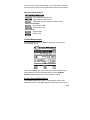
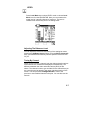
The next thing you should do is tell your MS1400 at which test point
you are located. This determines which set of limits are used. Press
Sequence Through Test Points soft key to sequence through the
2-2