1
FAXING OR E-MAILING AN ITEM
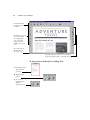
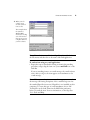
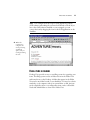
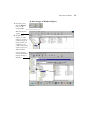
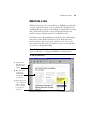
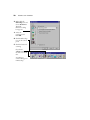
3. When your fax
software starts,
send the scanned
item as a fax.
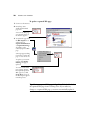
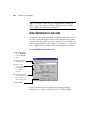
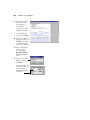
This example shows
the Symantec
WinFax PRO
window for sending
a fax. The window
that appears on your
computer will be for
your fax software.
Note: To send an item to a link from Page View, choose Links from
the File menu, and then choose the name of the link application.
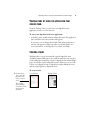
To send an item using an e-mail application:
• Repeat the steps as described for faxing an item in the preceding
procedure, except, drag the item onto your e-mail link icon on the
Link Bar.
If you are attaching items to an e-mail message, the e-mail software
starts. After you log in, the item appears as an attachment to the
e-mail message.
Note: When you send an item as an e-mail message, you can make
the message self-viewing. Recipients of the e-mail message can view
the attached PaperPort item even if PaperPort is not installed on their
computers. To create this type of e-mail attachment, choose Self
Viewing Files as the Send Format in the Mail Links preferences,
before you send the item. For more information, see the PaperPort
User’s Guide and Help.
9