1
Useful adjustment settings
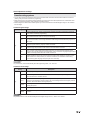
Password setting for parental
control
Allows you to use a password to protect certain
settings from being accidentally changed.
IMPORTANT:
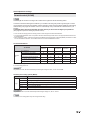
Three conditions must be met to enable the V-Chip
① Password is registered.
② V-CHIP settings have been made.
③ “V-CHIP” is set to “ON”.
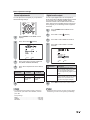
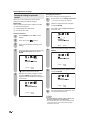
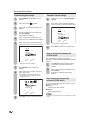
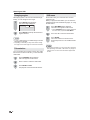
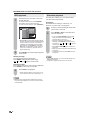
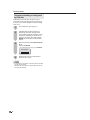
Changing the password
Allows you to change your current password.
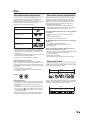
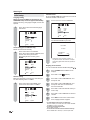
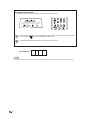
1
Repeat steps 1 to 3 in Setting a password.
• The password entering menu displays.
2
Input the 4-digit password by using 0–9,
then press ENTER.
3
Press ϳ/ϴ to select “NEW PASSWORD”,
then press ϵ/϶.
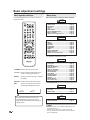
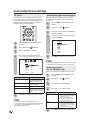
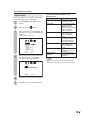
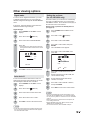
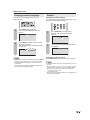
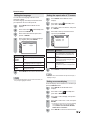
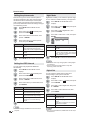
Setting a password
1
Press TV MENU and the MENU screen
displays.
2
Press ϵ/϶ to select
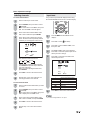
3
Press ϳ/ϴ. The password entering menu
displays.
4
Select and enter a password (4 digits) using
the number buttons (0–9), then press
ENTER.
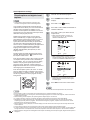
LOCKS
V-CHIP
OFF
V-CHIP SET
V-CHIP SET (DTV)
NEW PASSWORD
(LOCKS).
:SELECT
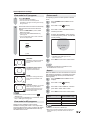
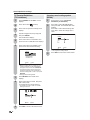
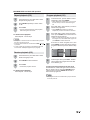
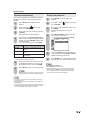
4
:ADJUST
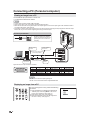
Enter a new password using 0–9, then press
ENTER.
LOCKS
NEW PASSWORD
LOCKS
NEW PASSWORD
----
[0-9]:SELECT
[0-9]:SELECT
“
5
----
ENTER:SET
EXIT:END
” appears instead of the number.
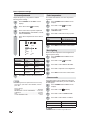
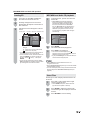
5
Enter the same password again to confirm,
then press ENTER, the password is now
registered and the LOCKS menu will appear
on the screen.
ENTER:SET
EXIT:END
Enter the same password again to confirm,
then press ENTER.
LOCKS
CONFIRM PASSWORD
LOCKS
[0-9]:SELECT
CONFIRM PASSWORD
6
[0-9]:SELECT
ENTER:SET
EXIT:END
ENTER:SET
EXIT:END
The screen returns to LOCKS menu. Your
new password has been set.
NOTE
• As a precautionary measure, make a note of your
password and keep it in a familiar place.
• The “V-CHIP SET (DTV)” will only be selectable when
a new rating system can be downloaded via digital
broadcasting in the U.S.
28