1
d. What kind of software do I need to run with
DiscPainter?
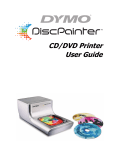
The DiscPainter printer software included with your printer is all the software you
need to print from any application to the DiscPainter printer. The DiscPainter
software installation includes the Discus for DYMO software for creating disc
designs; however, you can print to the DiscPainter printer using many popular
design programs, such as Adobe® Illustrator® or Photoshop®.
e. Can I use my current software? And what can I do to
print from my current software?
You can use the DiscPainter printer to print from various creative applications such
as Adobe® Illustrator®, Photoshop®, InDesign®, QuarkXPress®, and SureThingTM. 1)
Locate the folder “Sample Documents” that came with your software. 2) Select the
correct sample document such as 120 mm hub printable. 3) Use the sample file to
create your art in the preferred application. 4) Use the print menu from you
application and select ‘DiscPainter’ as the printer. 5) Access Printer Features and
select the print quality. You can now print from the DiscPainter.
f. What are the hardware/software requirements?
Mac OS System Requirements
• Mac OS® X v10.3/10.4
• 512 MB RAM
• USB port (USB 2.0 certified high-speed device works with USB 1.1)
• 700 MB hard disk space
Windows System Requirements
• Windows® XP and Vista
• 512 MB RAM
• USB port (USB 2.0 certified high-speed device works with USB 1.1)
• 700 MB hard disk space
g. What kind of cartridge does it use?
The DiscPainter printer uses a special DYMO inkjet cartridge, part number 1738252,
that consists of CMY (Cyan, Magenta and Yellow). You can purchase replacement
ink cartridges at your local or online computer or office supply retailer, or directly
from Disc Makers at http://www.discmakers.com/shop/ItemDetails.aspx?ItemID=PRT080-00065 or
call 1-888-800-4041.
Where can I purchase inkjet printable discs?