1
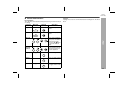
Useful Additional Information
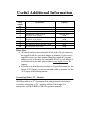
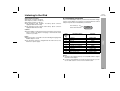
iPod
Adaptor
No.
3
4
5
6
7
8
9
10
iPod Model
iPod mini
4th Generation iPod & U2 iPod
4th Generation iPod
iPod photo & Colour U2 iPod
iPod with colour display
iPod photo
iPod wit h colour display
1st Generation iPod nano
5th Generation iPod Video & U2 iPod
5th Generation iPod Video
Capacity
4 GB & 6GB
20GB
40GB
20GB & 30GB
20GB
40GB & 60GB
60GB
2GB & 4GB
30GB
60GB
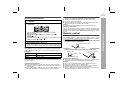
Please Note:
• All current and previous generation iPods with a 30 -pin connector
are supplied with its own dock adaptor as standard. If you weren’t
supplied or lost your dock adaptor Sharp has supplied 8 separate
adaptors (refer to the table for compatible iPods), if your adaptor is
not mentioned in the table please contact www.apple.com.au for
support.
• If you have an iPod that does not have a 30-pin iPod connector, but
has an AUX Output, you can use an audio cable to connect it to the
AUX Input of the docking station.
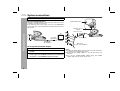
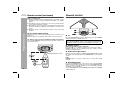
Connecting iPod to TV / Monitor
th
iPod Photo and up to 5 Generation iPod with photo and video can be
viewed by connecting to TV / monitor with the Video input. For
instructions see DKA1HBK or DKAP2 operation manuals.