1
Before you begin
1. If you purchased your Vonage Device from a retail store,
you must first activate your Vonage phone service.
(You will need to provide the WAN MAC ID on the bottom
of the Vonage Device.)
In the US, visit www.vonage.com/activate.
In Canada, visit www.vonage.ca/activate.
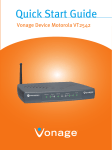
Welcome
to the Quick Start Guide for Vonage.
Get ready to start saving money on your phone bill with
Vonage – just follow these easy step-by-step instructions
to set up your new Vonage Device. Within minutes, you’ll
be making phone calls with high-quality, low-cost
Vonage phone service!
2. If you received your Vonage Device in the mail from Vonage,
your Vonage phone service has already been activated.
3. You also need a high speed Internet connection, such as DSL
or Cable, to use Vonage.
If you have questions along the way, please go to
the Troubleshooting Tips on Page 17 or visit:
www.vonage.com/help (US)
www.vonage.ca/help (Canada)
Helpful Terms:
ISP (Internet Service Provider) - The company that supplies
your high speed Internet connection.
Modem - A piece of network equipment that your Internet
Service Provider (ISP) sent you to gain high speed.
Internet access - either DSL through your phone line,
or Cable service.
Router - A router lets you connect more than one piece of
equipment (like computers) to your DSL or cable modem to
share one Internet connection. Some ISPs supply combination
modem/routers. (HINT: If you have more than one computer
connected to the Internet, then you have a router.)
4 Easy Steps!
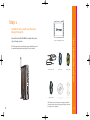
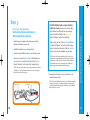
Step 1: Identify the items you’ll need
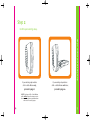
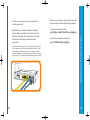
Step 2: Confirm your existing setup
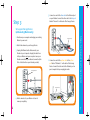
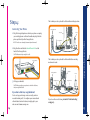
Step 3: Set up your new Vonage Device
Step 4: Connect your phone
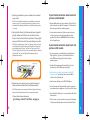
Port - This is an opening on a device where you connect a cable.
An Ethernet port looks like a wide phone jack.
1