1
Intermec Fingerprint 6.13 – Programmer's Guide
1. INTRODUCTION
1. Contents
1. INTRODUCTION
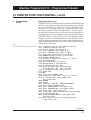
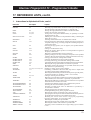
1. Contents ................................................................................................ 1
2. Preface .................................................................................................. 6
3. News in Fingerprint 6.13 ...................................................................... 7
2. GETTING STARTED
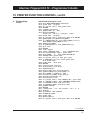
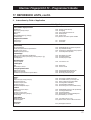
1. Computer Connection ........................................................................... 9
2 Check Paper Supply .............................................................................. 9
3. Turn On the Printer ............................................................................. 10
4. Shell Startup Program ......................................................................... 10
5. Stand-Alone Program .......................................................................... 10
6. No Startup Program ............................................................................ 11
7. Custom-Made Startup Program ........................................................... 11
8. Breaking a Startup Program ................................................................ 11
9. Bypassing a Startup Program .............................................................. 12
10. Communication Test ........................................................................... 13
3. CREATING A SIMPLE LABEL
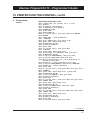
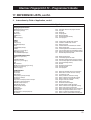
1. Introduction ........................................................................................ 14
2. Printing a Box ..................................................................................... 14
3. Printing a Image .................................................................................. 15
4. Printing a Bar Code ............................................................................. 15
5. Printing Human Readables .................................................................. 15
6. Printing Text ....................................................................................... 16
7. Listing the Program ............................................................................ 16
8. Changing a Program Line ................................................................... 16
9. Saving the Program ............................................................................. 17
10. Error Handling .................................................................................... 17
11. Renumbering Lines ............................................................................. 17
12. Merging Programs .............................................................................. 18
13. Using the Print Key ............................................................................. 18
4. TERMINOLOGY AND SYNTAX
1.
2.
3.
4.
5.
6.
7.
8.
9.
Intermec Fingerprint 6.13
Programmer's Guide
Edition 2, September 1998
Part No. 1-960366-01
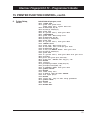
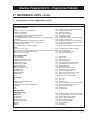
Lines ................................................................................................... 19
Statements .......................................................................................... 19
Functions ............................................................................................ 20
Other Instructions ............................................................................... 20
Expressions ......................................................................................... 20
Constants ............................................................................................ 21
Variables ............................................................................................. 21
Keyword List ...................................................................................... 22
Operators ............................................................................................ 23
• Arithmetic Operators ....................................................................... 23
• Relational Operators ........................................................................ 23
• Logical Operators ............................................................................ 23
10. Devices ............................................................................................... 25
Continued!
1