1
cCS2x_Basic
12/10/98
Page 23
CS2x Quick Tour
This section provides you with a quick guided tour through all the fundamental CS2x operations in Performance mode, such as use of
real-time control, Scene, Arpeggiator, panel edit and Performance Store functions. It also provides information about Multi Play mode
and multitimbral operation, including Multi Play in Performance mode.
Performance Mode
Performance Bank Select
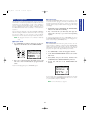
In Performance mode you can select from 256 Preset and 256
User Performances, use the SOUND CONTROL knobs to modify
certain parameters as you play, select Scenes and use the SCENE
CONTROL function for Scene morphing, and edit the values and
settings of specific COMMON and LAYER parameters.
Individual Performances are stored in any one of four available
banks. There are two Preset banks with 128 Performances each
and two User banks with 128 Performances each.
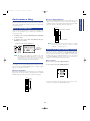
To select one of the Preset banks, press [PRESET] once or more.
To select one of the User banks, press [USER] once or more.
Performance Selection
Each time you press [PRESET] or [USER] toggles between P1/P2
or U1/U2 banks, respectively. The currently selected bank will
display accordingly in the LCD screen.
Following are the basic procedures for selecting CS2x
Performances.
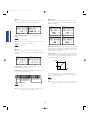
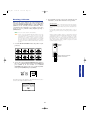
Performance Mode Select
ARPEGGIO HOLD
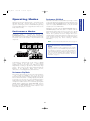
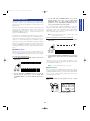
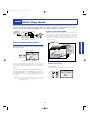
To enter Performance mode, simply press the [PERFORMANCE]
button.
SHIFT
+
PART/LAYER/ OCTAVE
PRESET
USER
+
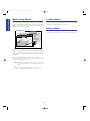
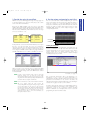
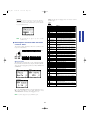
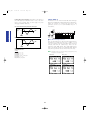
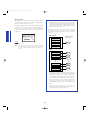
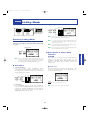
The basic Performance select screen will display in the LCD, with
information about Preset or User bank selection, Performance
name, program number (1 ~ 128) and category code, and more.
PROGRAM
Performance Number Select
Category
Performance name
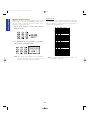
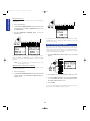
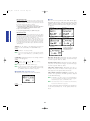
There are two ways to select one of the 128 program numbers in
each Preset or User Performance bank — by using the
PROGRAM buttons or the NUMERIC KEYPAD.
DEMO
PERFORMANCE
MULTI
STORE
UTILITY
Bank
■ PROGRAM Button Method
One way to select a Performance in the currently selected bank
is as follows:
Performance (Program) number
P I (P1) : Preset Bank 1
P II (P2) : Preset Bank 2
U I (U1) : User Bank 1
U II (U2) : User Bank 2
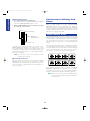
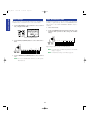
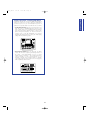
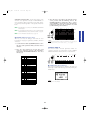
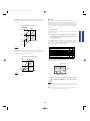
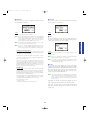
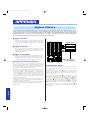
Press the PROGRAM [+] or [-] button once or more until you
reach the number of the one you want (between 1 and 128).
ARPEGGIO HOLD
SHIFT
+
PART/LAYER/ OCTAVE
PRESET
USER
+
Previous Performance
PROGRAM
Subsequent Performance
n If you hold down the PROGRAM [+] or [-] button you can
continuously scroll up or down through the list.
23
Getting Started
CONTROL
SYNTHESIZER
5:25 PM