1
3
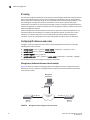
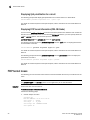
Creating IP interfaces and routes
NOTE
Refer to the Fabric OS Command Reference Manual for full details on command syntax.
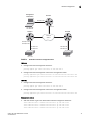
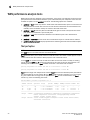
The following example shows two routes being added to an interface:
switch:admin06> portcfg iproute 8/ge0 create 192.168.11.0 255.255.255.0
192.168.100.1 1
switch:admin06> portcfg iproute 8/ge0 create 192.168.12.0 255.255.255.0
192.168.100.1 1
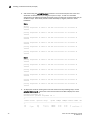
The following example verifies that the two routes have been successfully created:
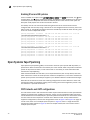
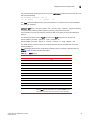
switch:admin06> portshow iproute 8/ge0
Slot: 8 Port: ge0
IP Address
Mask
Gateway
Metric Flags
-----------------------------------------------------------------192.168.100.0
255.255.255.0
192.168.100.40
0
Interface
192.168.100.0
255.255.255.0
192.168.100.41
0
Interface
192.168.11.0
255.255.255.0
192.168.100.1
1
192.168.12.0
255.255.255.0
192.168.100.1
1
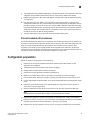
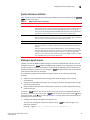
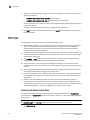
3. If you are implementing VLAN tagging, create a static ARP entry for the IP interfaces on both
ends of the tunnel, using the portCfg arp command with the add option. The command syntax
is as follows.
portCfg arp [slot/]ge0|ge1 add ipaddr macaddr
You can obtain the MAC address (macaddr) by using the portShow arp command with the
-lmac option.
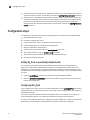
4. Verify IP connectivity by entering the portCmd --ping command to test the connection to a
destination IP address from a source IP address on one of the local Ethernet ports (Ge0 or
Ge1). This verification also ensures that data packets can be sent to the remote interface. You
can test a connection only if both ports have IP interfaces set. Refer to the Fabric OS Command
Reference Manual for full details on portCmd --ping command syntax.
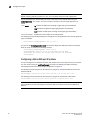
General command syntax is as follows.
portCmd --ping [slot/]ge0|ge1 [-s source_ip] [-d dest_ip] [-c L2 class-of-service]
[-n num-requests] [-q type-of-service] [-t ttl] [-v vlan tag] [-w wait-time] [-z size]
For details of command syntax and output examples, refer to the Fabric OS Command
Reference Manual.
The following example tests the connection between 192.175.5.100 and 192.175.5.200,
switch:admin06> portcmd --ping ge0 -s 192.175.5.100 -d 192.175.5.200
5. Test end-to-end IP path performance using WAN analysis tools (optional, may be done at any
time).
NOTE
The general recommendation is to run ipPerf only when there are no active tunnels on the IP network
For more information, refer to “The ipperf option” on page 82.
68
Fabric OS FCIP Administrator’s Guide
53-1002474-01