1
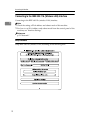
Connecting the Machine
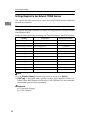
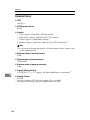
Settings Required to Use Network TWAIN Scanner
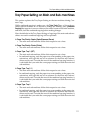
This section describes necessary set items for using TWAIN Scanner under the
network environment.
1
Ethernet
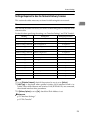
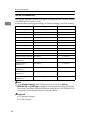
This section describes necessary set items for using network TWAIN Scanner
with Ethernet cable.
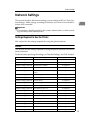
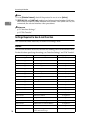
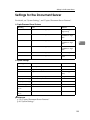
For details about specifying the settings, see "Interface Settings" and "File Transfer".
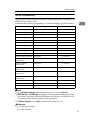
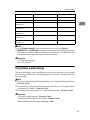
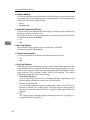
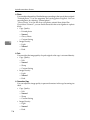
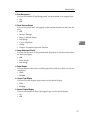
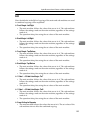
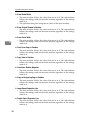
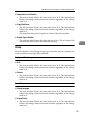
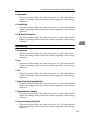
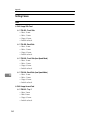
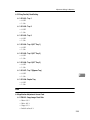
Heading
Setting Item
Setting Requirements
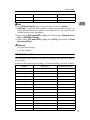
interface settings/Network
Machine IPv4 Address
Mandatory
interface settings/Network
IPv4 Gateway Address
As required
interface settings/Network
DNS Configuration
As required
interface settings/Network
DDNS Configuration
As required
interface settings/Network
Domain Name
As required
interface settings/Network
WINS Configuration
As required
interface settings/Network
Effective Protocol
Mandatory
interface settings/Network
LAN Type
Mandatory
interface settings/Network
Ethernet Speed
As required
interface settings/Network
Permit SNMPv3 Communication
As required
interface settings/Network
Permit SSL/TLS Communication
As required
interface settings/Network
Host Name
As required
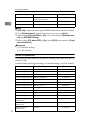
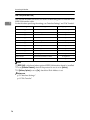
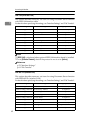
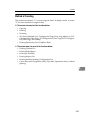
Note
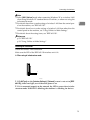
❒ As to [Effective Protocol], check if the protocol to use is set as [Active].
❒ [LAN Type] is displayed when optional wireless LAN interface board is installed. When both Ethernet and wireless LAN (IEEE 802.11b) are connected,
the selected interface takes precedence.
Reference
p.52 “Interface Settings”
p.62 “File Transfer”
28