1
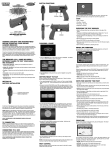
Installation 1.1 Hardware Installation and Initial Setup The Ultimarc AimTrak Light Guns come ready‐to‐use. Initial set‐up is as simple as plugging the USB components into your computer and calibrating. 1) Plug the Light Gun into an available USB port on your computer. NOTE: If you will be installing more that one Light Gun, perform these steps with only one installed at a time. You will need to change the Device ID to be able to use more than one Light Gun (Advanced Setup). 2) Plug the LED strip into an available USB port and place it centered above your monitor. For best results, the strip should be centered left‐to‐right and as close to the top of the picture screen as possible. There may not be enough power available on a passive USB hub (such as a port on a keyboard or un‐powered USB hub), so use a port on the back of your computer, or a USB hub that has it’s own power cable. 3) As an initial check, point the gun at the screen with the tip of the gun about 2 to 3 feet (60 to 100cm) from the screen. The cursor should move as you move the gun. NOTE: The cursor may not move all the way to the edges of the screen, or may not track precisely with your movement yet. You still need to perform an initial calibration (Step 4).
4) Calibration – This should be done while holding the Light Gun in your normal “shooting” position. If you intend to look through the gun‐sights when playing you must do this when calibrating. Likewise, if you “shoot from the hip” you must do this when calibrating as well. http://www.ultimarc.com Page 3