1
Making a Call — Voice Dialing
Your SCH-U420 mobile phone includes state-of-the-art
voice recognition software that lets you dial numbers
using your voice.
Using Voice Dial
Use the Voice Dial command to dial any number stored
in your Contacts list by saying the name of the contact
(Name Dialing). You can also use Voice Dial to dial any
valid telephone number, even numbers not stored in
your contact list, by speaking the individual digits in
the number (Digit Dialing).
Voice Dialing Tips:
• Wait for the beep before speaking.
• Speak clearly at a normal volume, as if you were talking to
someone on the phone.
• When saying a name, say the first name then the last name.
Dialing a Name
To dial a name, do the following:
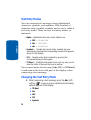
1. In standby mode, press and hold the
0
key.
“Say a Command” appears in the display and is
pronounced through the earpiece.
2. Say, “Call”.
You are prompted to “Say the name or number”.
Section 3
3. Speak clearly and say the name of a person in your
Contacts list, first name followed by last name.
If the name is recognized, Voice Dial repeats the name
and dials the number.
42