1
7
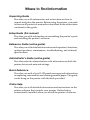
Accessing Online Help
Online help provides you with detailed information and
instructions on using the printer driver, and can be accessed from
within the printer driver itself. It is automatically installed when
you install the printer driver.
Note:
Online help is not available for DOS applications.
Accessing from the Printer Driver
Online help is automatically installed when you install the printer
driver. It is accessed by clicking on the Help button that appears
in the printer driver.
For Windows 95/98 users
Follow these steps to access the printer driver’s online help:
1. Double-click the My Computer icon and double-click the
Printers folder.
2. Right-click the icon of your printer, then click Properties.
3. Click the Help button at the bottom of the window that
appears.
Accessing Online Help
63