1
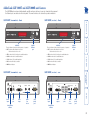
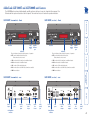
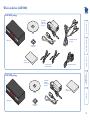
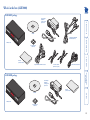
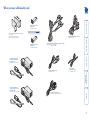
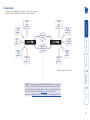
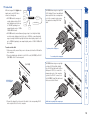
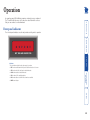
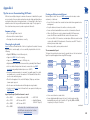
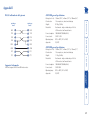
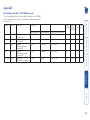
Front panel indicators................................................................22 Further information Getting assistance.......................................................................23 Appendix A.................................................................................24 Tips for success when networking ALIF units ......................24 Appendix B.................................................................................26 Troubleshooting....................................................................26 Appendix C.................................................................................28 Glossary..................................................................................28 Appendix D.................................................................................31 RS232 ‘null-modem’ cable pin-out...................................31 Supported video modes....................................................31 ALIF 1000 and ALIF 2000 general specifications..............31 Appendix E..................................................................................32 Fibre modules and cables (ALIF 2000 units only) ................32 Appendix F..................................................................................33 Additional features available on ALIF2002T........................33 Warranty and Safety information.............................................34 Radio Frequency Energy............................................................35 Index Mounting......................................................................................8 Connections..................................................................................9 TX video link..........................................................................10 TX audio links.........................................................................11 TX USB link.............................................................................12 TX AUX port...........................................................................12 TX power in............................................................................13 Power adapter identification...........................................13 TX/RX network link................................................................14 RX video display.....................................................................15 RX microphone & speakers...................................................16 RX USB devices.......................................................................17 RX AUX port...........................................................................17 RX power in............................................................................18 Power adapter identification...........................................18 Operation Installation Initial configuration...................................................................19 Manual factory reset.............................................................19 AdderLink Infinity browser-based configuration utility.....20 Performing an upgrade.............................................................21 AdderLink ALIF1000T and ALIF1000R unit features...................3 AdderLink ALIF2000T and ALIF2000R unit features...................4 What’s in the box (ALIF1000).......................................................5 What’s in the box (ALIF2000).......................................................6 What you may additionally need................................................7 Configuration Introduction Contents 1