1
and
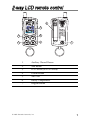
Buttons
An optional auxiliary convenience or expansion function that
you have added to your system can be activated by pressing these
buttons simultaneously.
This auxiliary output controls_________________________.
and
Buttons
An optional auxiliary convenience or expansion function that
you have added to your system can be activated by pressing these
buttons simultaneously.
This auxiliary output controls_________________________.
Program Button (on
rear of LCD remote)
Use this button to select the vehicle to control from the remote.
Also use this button to configure response characteristics from
the LCD remote (see Programming 2-Way Remote).
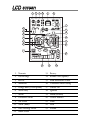
➜ standard LCD icon configurations
Icon
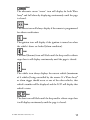
The transmit icon will be displayed while the remote control is
transmitting a command to the vehicle.
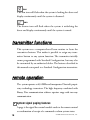
Icon
The signal icon will be displayed if a command is transmitted to
the vehicle but the command page is not received.
14
© 2005 directed electronics, inc.