1
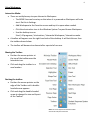
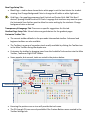
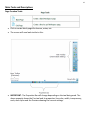
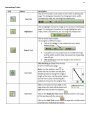
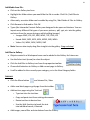
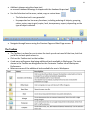
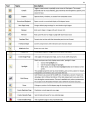
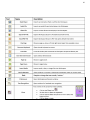
15 Extending a Page and Panning: By clicking on either the downward extend button or the right side extend button the default blank page space will be widened or lengthened. Click on the Pan Tool in your toolbar or toolbox (if it was a chosen tool) and then click and drag on the Workspace page to move in any direction across a page that is larger than the current screen size, such as in a PDF. Layers Toolbar: By default, all items are organized in a single layer. To add layers: Locate the Layers Toolbar at the bottom left corner of the Workspace page. To view the layers click on the maximize layers button. Click the Add Layer button. The Layer Toolbar has additional options such as moving layers up/down, selecting layers, showing/hiding layers, editing layers and deleting layers.