1
Contents
Chapter 1: Getting Started . . . . . . . . . . . . . . . . . . . . . . . . . . . . . . 1
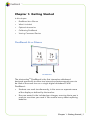
DualBoard At-a-Glance . . . . . . . . . . . . . . . . . . . . . . . . . . . . . 1
What’s Included . . . . . . . . . . . . . . . . . . . . . . . . . . . . . . . . . . . 2
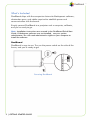
DualBoard 2
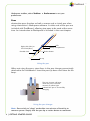
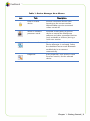
DualBoard Features Menu 3
Pens 4
Optional Accessories . . . . . . . . . . . . . . . . . . . . . . . . . . . . . . . 5
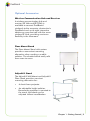
Wireless Communication Hub and Receiver 5
Floor Mount Stand 5
AdjustIt II Stand 5
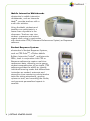
Interactive Tablets 6
Student Response Systems 6
Calibrating DualBoard . . . . . . . . . . . . . . . . . . . . . . . . . . . . . . 7
Viewing Connected Devices . . . . . . . . . . . . . . . . . . . . . . . . . . 8
Chapter 2: Using DualBoard . . . . . . . . . . . . . . . . . . . . . . . . . . . . 11
How DualBoard Works . . . . . . . . . . . . . . . . . . . . . . . . . . . . . 11
Getting Started with Workspace . . . . . . . . . . . . . . . . . . . . . . 12
Opening Workspace 13
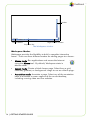
The Workspace Window 13
Workspace Modes 14
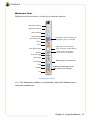
Workspace Tools 15
Workspace Tools 17
Annotating a Projected Image . . . . . . . . . . . . . . . . . . . . . . . . 18
Creating a Lesson . . . . . . . . . . . . . . . . . . . . . . . . . . . . . . . . 18
Adding Pages to a Lesson 18
Editing a Lesson 19
Distributing Files 19
Using a Created Lesson 19
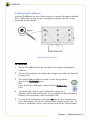
Splitting DualBoard into Panes . . . . . . . . . . . . . . . . . . . . . . . 20
Contents | i