1
AXIS 247S Installation Guide
Page 5
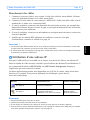
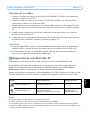
Connect the cables
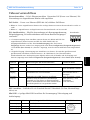
Important!
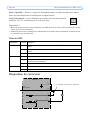
• The 6 pin Mini-DIN connector is an alternative connection for power out, video in and
audio in. Do not connect more that one video source to the AXIS 247S.
• If PoE is not supported by the network switch, use a PoE midspan/power injector to
connect power to the AXIS 247S.
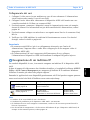
Assign an IP address
To make it accessible on the network, the AXIS 247S must be assigned an IP address.
Depending on the number of video servers you wish to install, the recommended method for
assigning IP addresses in Windows is either AXIS IP Utility or AXIS Camera Management.
Use the method that best suits your purpose.
Both of these free applications are available on the Axis Network Video Product CD supplied
with this product, or they can be downloaded from www.axis.com/techsup
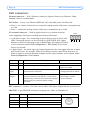
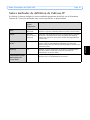
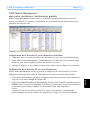
Method
Recommended for
Operating system
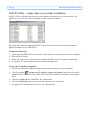
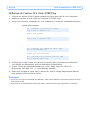
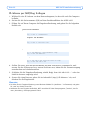
AXIS IP Utility
See page 6
Single video server
Small installations
Windows
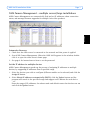
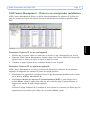
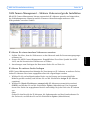
AXIS Camera Management
See page 7
Multiple video servers
Large installations
Installation on a different subnet
Windows 2000
Windows XP Pro
Windows 2003 Server
Notes:
• A network DHCP server is optional.
• The AXIS 247S has the default IP address 192.168.0.90
• If assigning the IP address fails, check that there is no firewall blocking the operation.
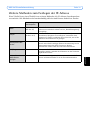
• For other methods of assigning or discovering the IP address of the AXIS 247S, e.g. in
other operating systems, see page 9.
ENGLISH
ENGLISH
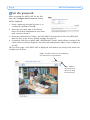
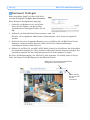
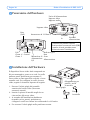
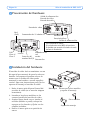
1. Connect the video server to the network using a shielded network cable. Power is also
supplied via the network cable (PoE).
2. Connect the video output of your camera to the AXIS 247S, using a standard 75 Ohm
coaxial video cable with BNC connectors.
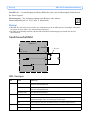
3. Optionally connect external input/output devices, e.g. alarm devices. See page 10 for
information on the terminal connector pins.
4. Optionally connect a microphone or line in mono signal to the Line/Mic in connector.
5. Check that the indicator LEDs indicate the correct conditions. See the table on page 11
for further details.