1
To recall a Contacts database address using manual search
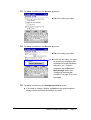
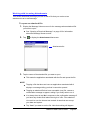
1.
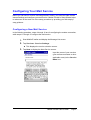
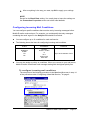
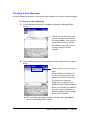
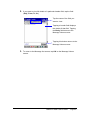
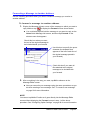
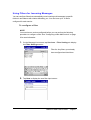
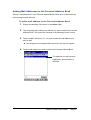
Tap To, Cc, or Bcc at the top of the header input screen.
l See step 2 of the procedure under “To create a new message on
page 28 for more information about the header input screen.
l With manual search, you will have a chance to specify the addressee
type (To, Cc, Bcc) later, so you can select any one of the three
options at this time.
2.
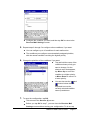
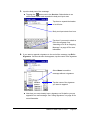
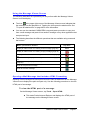
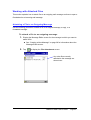
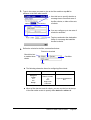
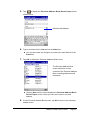
Tap
to display a list of Contacts database names and e-mail
addresses.
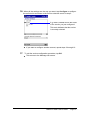
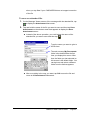
3.
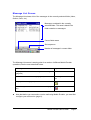
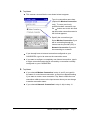
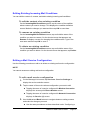
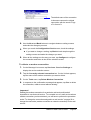
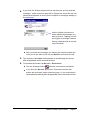
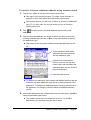
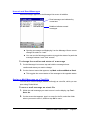
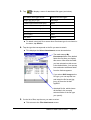
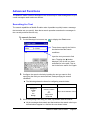
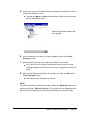
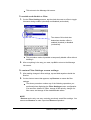
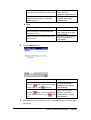
Tap the name and address of a person to whom you want to send the
message and then tap a To, Cc, or Bcc on the command bar to specify
the addressee type.
l Note that you can also select multiple names and addresses on the
list.
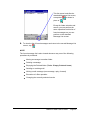
These indicators show which
addresses you have selected
and the addressee type.
Instead of the command bar
buttons, you can also tap and
hold a name, and then select the
addressee type from the shortcut
menu that appears.
Command bar buttons
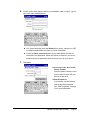
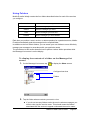
l To deselect an addressee, tap its name and address and then tap the
button for the same addressee type that is currently assigned to the
addressee. To deselect an addressee that is currently specified as a
To addressee, for example, select the name and address and then
tap To.
4.
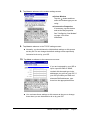
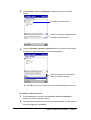
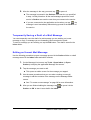
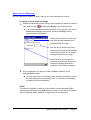
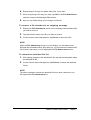
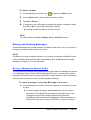
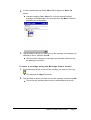
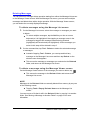
After all the addressees are configured the way you want them, tap OK to
return to the header input screen.
l The header input screen now shows all of the To, Cc, and Bcc
addressees you selected using the above steps.
Mobile E-mailer User's Guide
-Page 34 -