1
!
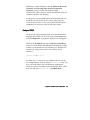
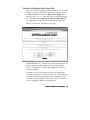
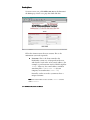
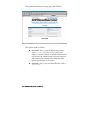
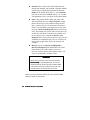
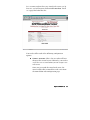
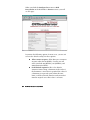
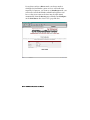
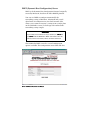
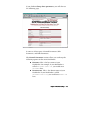
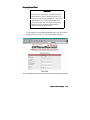
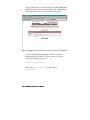
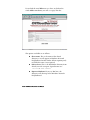
Full name. In our example, that’s Fred Fiddle. The
NetWinder doesn’t actually use this information for
anything, so it’s marked as “(opt)” (optional). Still,
it’s usually easier for you to keep track of your users
if you enter the full name now.
!
Phone number. This is another field that the
NetWinder doesn’t use directly. If you fill this in,
however, other NetWinder users will be able to find
this person’s phone number when they visit the
Users page.
!
Comment. Fill in any additional information about
the user here (their position and department, for
example), if you would like to have it published in
the user listing.
!
Password. You know all about passwords. This is
the one the user will need, along with his or her
username, to gain access to the NetWinder.
The password will not display as you type it. To
make sure you entered it correctly, type it again on
the (confirm) line.
!
Disk quota. If this user will use the NetWinder to
store a personal web page, e-mail, or other files, you
can limit the amount of disk space he or she may
use. The value is expressed in megabytes (MB or
millions of bytes).
If you set this value to zero, the user can use as
much disk space as required until the server fills
up. More frequently, the limit is set at 5 to 15
megabytes.
Click the Submit button once you’ve entered all the
information.
Chapter 3: User and Group Account Management 3–3