1
Step 4: Connect Scanner (cont.)
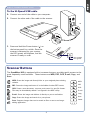
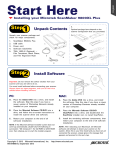
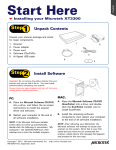
To the Hi-Speed USB cable
D. Connect one end of the cable to your computer.
E. Connect the other end of the cable to the scanner.
D
E
IV
F. Press and hold the Power button ( ) on
the button panel for a while. Once the
scanner is detected by your system,
the LED (green) will brighten, and the
scanner is ready to scan.
WE
B
PDF
OC
R
E-M
AIL
CO
PY
SCA
N
POW
ER
POWER
LED (orange)
LED (green)
Scanner Buttons
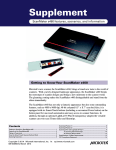
The ScanMaker i460 is equipped with six scanner buttons, providing quick access to the
most frequently used functions. These buttons are WEB, PDF, OCR, E-mail, Copy, and
Scan.
WEB: Scans the image and directly links to your assigned photo-sharing
website.
WEB
WEB
PDF
PDF
OCR
OCR
PDF: Scans the image and saves it in the Adobe Acrobat PDF format.
OCR: Scans a text document, converts, and saves it in text file format.
Files may be immediately edited if configured in the MSC utility.
E-MAIL
E-mail
E-mail: Scans the image and delivers it directly to your e-mail editor.
COPY
Copy
Copy: Scans the image and sends it to your printer.
SCAN
Scan
Scan: Captures images that can be saved as files or sent to an imageediting application.
3
POWER
Power