1
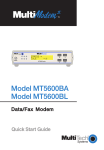
MultiModem II Quick Start Guide
Introduction
This Quick Start Guide will help you set up your modem. A User Guide
containing detailed configuration information and a separate AT
Commands Reference Guide can be found on the MultiModem II CD
shipped with your modem.
Safety Warnings
• Use this product only with UL- and CUL-listed computers (US).
• Never install phone wiring during a lightning storm.
• Never install a phone jack in a wet location unless the jack is
specifically designed for wet locations.
• Never touch uninsulated phone wires or terminals unless the
phone line has been disconnected at the network interface.
• Use caution when installing or modifying phone lines.
• Avoid using a phone during an electrical storm; there is a risk of
electrical shock from lightning.
• Do not use a phone in the vicinity of a gas leak.
• To reduce the risk of fire, use only 26 AWG or larger telephone
line cord.
• The telephone cord is to be disconnected before accessing the
inside of the equipment.
Modem Installation
Step 1 – Connect the Modem the PC
3